Choosing the best Samsung tablet for work depends on productivity features such as multitasking, display clarity, battery life, and stylus support. Modern Samsung tablets integrate desktop-like software tools that allow professionals to edit documents, attend meetings, and manage projects efficiently.
Many Samsung devices support Samsung DeX, a feature that transforms the tablet interface into a desktop-style environment for multitasking and productivity workflows. Combined with S Pen support, users can take notes, annotate documents, and sketch ideas directly on the screen.
Display quality also plays a major role in productivity since professionals often spend hours reading spreadsheets, reports, or design drafts. High-resolution AMOLED displays and large battery capacities allow Samsung tablets to sustain long work sessions without excessive eye strain or frequent charging.
In this guide, we analyze the 10 best Samsung tablets for work, focusing on performance, multitasking capability, stylus productivity, battery life, and overall reliability for professionals, students, and remote workers.
10 Best Samsung Tablet For Work
1. Samsung Galaxy Tab S9 Ultra – Samsung – Best Samsung Tablet For Professional Productivity
To begin with, the Samsung Galaxy Tab S9 Ultra is widely considered the best Samsung tablet for work because of its massive screen and powerful performance. The 14.6-inch Dynamic AMOLED display provides an expansive workspace ideal for multitasking.
The tablet supports Samsung DeX, allowing users to operate the interface like a desktop computer with windows and taskbars. This feature is extremely useful for professionals handling spreadsheets, presentations, and multiple apps simultaneously.
Its included S Pen stylus enables precise note-taking and document annotation during meetings or lectures. For professionals seeking a tablet that can replace a lightweight laptop, the Tab S9 Ultra is an exceptional choice.
Pros
• Huge display
• DeX mode
• S Pen included
• Fast chipset
• Premium build
• Long battery
• Multitasking ready
Cons
• Expensive
• Very large
• Heavy
2. Samsung Galaxy Tab S9+ – Samsung – Best Samsung Tablet For Business Multitasking
Next, the Samsung Galaxy Tab S9+ provides a perfect balance between power and portability. Its 12.4-inch AMOLED display offers ample workspace while remaining easier to carry than the Ultra model.
The tablet excels in productivity tasks such as document editing, video calls, and note-taking. Samsung DeX support allows users to run multiple apps simultaneously like a laptop.
Battery life easily lasts through a full workday, which is essential for professionals who travel frequently. This combination of power and portability makes it a reliable work companion.
Pros
• AMOLED display
• Strong battery
• DeX support
• Fast processor
• S Pen
• Multitasking
• Premium design
Cons
• Premium price
• Large size
• Accessories extra
3. Samsung Galaxy Tab S9 – Samsung – Best Balanced Samsung Tablet For Work
Importantly, the Samsung Galaxy Tab S9 is one of the most balanced Samsung tablets for work and productivity. Its 11-inch display delivers sharp visuals while keeping the device lightweight and portable.
The tablet includes the S Pen and supports DeX mode, allowing professionals to create notes, annotate documents, and manage workflows efficiently. Multitasking features make switching between work apps quick and seamless.
For users who want powerful performance without the larger size of premium models, this tablet offers excellent value and versatility.
Pros
• Portable size
• AMOLED display
• Fast performance
• S Pen included
• DeX mode
• Strong battery
• Durable build
Cons
• Smaller screen
• Expensive
• Keyboard extra
4. Samsung Galaxy Tab S8 Ultra – Samsung – Best Samsung Tablet For Creative Work
Moreover, the Samsung Galaxy Tab S8 Ultra remains a top choice for creative professionals and designers. The huge display allows artists and creators to work comfortably on design, illustration, or editing tasks.
The included S Pen provides precision drawing capabilities and pressure sensitivity for creative projects. Multitasking tools also help creators manage multiple design apps simultaneously.
Although newer models exist, the Tab S8 Ultra still performs exceptionally well for demanding work environments.
Pros
• Large display
• Powerful chip
• S Pen precision
• Great graphics
• Strong multitasking
• Premium build
• Long battery
Cons
• Expensive
• Very large
• Slightly older
5. Samsung Galaxy Tab S9 FE+ – Samsung – Best Samsung Tablet For Remote Work
Additionally, the Samsung Galaxy Tab S9 FE+ is an excellent option for professionals working remotely. The 12.4-inch display offers comfortable space for reading documents and attending virtual meetings.
It includes S Pen support and strong battery life, making it suitable for long productivity sessions. This tablet can handle video calls, presentations, and document editing smoothly.
For professionals seeking performance without flagship pricing, the S9 FE+ is a smart alternative.
Pros
• Large screen
• S Pen support
• Good battery
• Affordable
• Solid performance
• Durable build
• Productivity apps
Cons
• LCD screen
• Mid-range chip
• Lower brightness
6. Samsung Galaxy Tab S7 FE – Samsung – Best Samsung Tablet For Office Work
Furthermore, the Samsung Galaxy Tab S7 FE is widely used for office productivity and note-taking. The large 12.4-inch screen helps professionals view spreadsheets and documents clearly.
The included stylus allows precise handwriting and quick note capture during meetings. Its long battery life ensures uninterrupted productivity throughout the day.
Even though it is an older model, it still performs reliably for most professional tasks.
Pros
• Large display
• Good battery
• S Pen included
• Affordable
• Office friendly
• Smooth performance
• Reliable
Cons
• Older processor
• LCD panel
• Limited updates
7. Samsung Galaxy Tab S6 Lite – Samsung – Best Samsung Tablet For Students And Work
Meanwhile, the Samsung Galaxy Tab S6 Lite is a great entry-level productivity tablet. Its compact size and included stylus make it ideal for note-taking, research, and studying.
The tablet works well with productivity apps like Microsoft Office and Samsung Notes. Its lightweight design allows users to carry it easily between workspaces.
For budget-conscious professionals or students, the S6 Lite provides excellent functionality at a lower price.
Pros
• Budget friendly
• S Pen included
• Lightweight
• Good battery
• Note taking
• Portable
• Simple UI
Cons
• Average power
• LCD display
• Limited storage
8. Samsung Galaxy Tab A8 – Samsung – Best Budget Samsung Tablet For Work
Also, the Samsung Galaxy Tab A8 is a reliable budget tablet for basic work tasks. It handles email, web browsing, document editing, and video calls without major issues.
The large screen improves readability when reviewing documents or presentations. Battery life is strong enough to last through a typical workday.
While it lacks high-end features, it remains a practical option for everyday productivity.
Pros
• Affordable
• Large display
• Reliable battery
• Lightweight
• Simple interface
• Expandable storage
• Good speakers
Cons
• Limited power
• LCD panel
• No stylus
9. Samsung Galaxy Tab Active3 – Samsung – Best Rugged Samsung Tablet For Field Work
Additionally, the Samsung Galaxy Tab Active3 is designed for professionals working in harsh environments. Construction workers, engineers, and technicians benefit from its rugged durability.
The tablet is resistant to dust, water, and drops, making it suitable for field operations. It also supports stylus input and long battery life.
For industries requiring durability and reliability, this rugged tablet performs exceptionally well.
Pros
• Rugged build
• Outdoor use
• Replaceable battery
• Reliable performance
• Stylus support
• Durable design
• Long life
Cons
• Smaller screen
• Limited power
• Thick design
10. Samsung Galaxy Tab S9 FE – Samsung – Best Affordable Samsung Tablet For Productivity
Finally, the Samsung Galaxy Tab S9 FE offers a balanced combination of affordability and productivity tools. It supports S Pen input and multitasking features useful for daily work.
The display provides good clarity for reading documents, spreadsheets, and research material. Its battery performance supports long working sessions.
For professionals wanting strong productivity features without flagship prices, this tablet is an excellent option.
Pros
• Good value
• S Pen support
• Strong battery
• Durable design
• Good display
• Productivity tools
• Reliable
Cons
• Mid performance
• LCD panel
• Limited storage
FAQs About Samsung Tablets For Work
1. Can Samsung tablets replace a laptop for work?
Yes, many Samsung tablets support Samsung DeX, which provides a desktop-style interface suitable for productivity tasks.
2. Which Samsung tablet is best for multitasking?
The Galaxy Tab S9 Ultra is one of the best because of its large display and powerful chipset.
3. Are Samsung tablets good for office apps?
Yes. Samsung tablets support apps like Microsoft Office, Google Workspace, and Samsung Notes.
4. Do Samsung tablets come with a stylus?
Many Galaxy Tab S-series models include the S Pen, which allows note-taking and document annotation.
5. What screen size is best for work?
Large displays between 11 and 14 inches are ideal for multitasking and productivity.
6. Are Samsung tablets good for remote work?
Yes. They support video conferencing apps, document editing, and cloud storage tools.
7. How long do Samsung tablet batteries last?
Most productivity tablets last 10–15 hours depending on usage.
Conclusion
In conclusion, the Samsung Galaxy Tab S9 Ultra stands out as the best Samsung tablet for work because of its massive display, powerful chipset, and advanced multitasking features. The runner-up is the Samsung Galaxy Tab S9+, which offers nearly the same productivity power in a more portable form.
Professionals who prioritize portability may prefer the Galaxy Tab S9, while creatives will benefit from the Tab S8 Ultra and its large workspace. Budget-conscious users can choose the Tab S6 Lite or Tab A8 for reliable everyday productivity.
If durability is important, the Galaxy Tab Active3 provides rugged performance for field work. Ultimately, choosing the right Samsung tablet depends on your workflow, budget, and productivity needs.
Select the tablet that fits your work style and transform your productivity today
10 Best Samsung Tablet For Reading
For bookworms and digital readers, finding the best Samsung tablet for reading combines comfort, display quality, and long battery life. Whether you enjoy ebooks, PDFs, or web articles, tablets with crisp screens and ergonomic design significantly improve your reading experience.
Samsung’s lineup offers devices with AMOLED displays, adjustable eye comfort modes, and lightweight form factors that reduce strain on long sessions. Many models also support stylus input for note-taking, annotations, and research workflows.
Display quality is critical for reading; high contrast, accurate colors, and anti-flicker technology reduce eye fatigue during extended use. Battery performance matters too, especially for users who read on the go without frequent charging breaks.
In this guide, we rank the 10 best Samsung tablets for reading, focusing on screen performance, portability, battery endurance, and overall value to help you choose the ideal device for books, magazines, and digital content consumption.
Related: Best Gazebo For Quiet Backyard Reading Area
10 Best Samsung Tablet For Reading
1. Samsung Galaxy Tab S9 – Best Overall Samsung Tablet for Reading
To begin with, the Samsung Galaxy Tab S9 is widely regarded as the best Samsung tablet for reading due to its stunning display and smooth performance. Its 11-inch Super AMOLED screen produces vibrant colors and true-to-life text rendering, making ebooks and PDFs look crisp and easy on the eyes.
The adaptive display automatically adjusts brightness and eye comfort settings, reducing blue light during night reading. With long battery life and lightweight design, it’s suitable for marathon reading sessions or daily use.
Performance is snappy even with heavy multitasking, and split-screen mode lets you read while taking notes or browsing online. For avid readers who want top-tier hardware, the Tab S9 delivers an unmatched experience.
Pros:
• Super AMOLED
• Adjustable eye mode
• Long battery
• Lightweight
• Fast performance
• Split-screen
• Premium build
Cons:
• Premium price
• Slightly large
• No microSD
2. Samsung Galaxy Tab S9+ – Best Big Screen Tablet for Reading PDFs
Next, the Samsung Galaxy Tab S9+ upgrades your reading experience with a larger 12.4-inch Super AMOLED display. This extra screen space is ideal for reading PDFs, textbooks, and research documents without frequent zooming.
Reading magazines and graphic novels becomes more enjoyable thanks to the expansive display and brilliant color accuracy. The larger battery ensures all-day usage even with prolonged sessions.
Samsung’s Eye Comfort Shield and adaptive refresh rate reduce eye strain while improving responsiveness. For users focusing on large-format content, this tablet combines comfort with performance.
Pros:
• Large display
• Excellent color
• Great for PDFs
• AMOLED clarity
• Long battery
• Eye comfort
• Premium feel
Cons:
• Higher cost
• Less portable
• Big size
3. Samsung Galaxy Tab S8 FE – Best Mid-Range Reading Tablet
Importantly, the Samsung Galaxy Tab S8 FE balances price and performance for casual reading users. Its 10.4-inch LCD panel provides ample space for ebooks and articles at a much more accessible price point.
While not as vibrant as AMOLED screens, the display still delivers clear, sharp text that is easy on the eyes. With reliable battery life and support for useful reading features like Night Mode, it’s ideal for students and everyday readers.
The tablet’s lightweight design makes it easy to hold in one hand for long periods. It’s a strong choice for budget-conscious readers who want Samsung reliability without flagship cost.
Pros:
• Great value
• Good battery
• Comfortable size
• Lightweight
• Night mode
• Reliable build
• Samsung UI
Cons:
• LCD panel
• Lower brightness
• Moderate GPU
4. Samsung Galaxy Tab A8 – Best Affordable Samsung Tablet for Reading
Additionally, the Samsung Galaxy Tab A8 is one of the most affordable Samsung tablets that still performs well for ebook reading and digital content. Its 10.5-inch display offers good readability for casual browsing and text.
Battery life typically lasts through a full day of reading and light media use. The tablet’s construction is simple yet durable, making it ideal for kids, students, and everyday usage.
While performance isn’t flagship level, this tablet handles most reading apps and light multitasking without issues. For readers prioritizing budget over raw power, the Tab A8 is a reliable choice.
Pros:
• Very affordable
• Large display
• Good battery
• Lightweight
• Simple UI
• Easy apps
• Solid build
Cons:
• LCD only
• Lower performance
• Moderate brightness
5. Samsung Galaxy Tab S7 FE – Best Productivity Reading Tablet
Moreover, the Samsung Galaxy Tab S7 FE combines reading comfort with productivity features. Its 12.4-inch display is large enough for immersive reading and multitasking with split-screen reading tools.
This tablet integrates with Samsung Notes and S Pen functionality, letting you annotate ebooks or highlight PDFs with ease. Combined with superior battery life, it provides a versatile reading experience.
While slightly older in specs, it still performs well for text, web articles, and research workflows. Students and power readers who annotate frequently will benefit greatly from its feature set.
Pros:
• Large screen
• S Pen support
• Annotations
• Good battery
• Samsung Notes
• Split-screen
• Comfortable view
Cons:
• Older chipset
• LCD panel
• Higher price
6. Samsung Galaxy Tab S6 Lite – Best Budget Samsung Tablet for Students
Furthermore, the Samsung Galaxy Tab S6 Lite is a compelling budget tablet for readers who also want note-taking capability. Its 10.4-inch screen displays books and articles clearly, and the included S Pen supports handwritten annotations.
Battery life is reliable for classroom use and reading on trips. While its processor is moderate, everyday reading apps and web browsing run smoothly.
Its lighter price point makes it attractive for students who want versatility. For readers who want more than just passive reading, the S6 Lite wins on value.
Pros:
• S Pen included
• Student friendly
• Sharp text
• Long battery
• Affordable
• Lightweight
• Good for notes
Cons:
• LCD screen
• Mid-level power
• Limited storage
7. Samsung Galaxy Tab S7+ – Best Reading & Entertainment Tablet
Meanwhile, the Samsung Galaxy Tab S7+ is a superb premium choice for users who read and stream media on the same device. Its 12.4-inch Super AMOLED display delivers outstanding visuals and crisp text.
With 120Hz refresh rate, pages feel responsive and smooth, reducing eye fatigue. Battery life holds up well even during extended sessions of reading followed by video or gaming.
While newer models have eclipsed it in raw performance, it remains one of the best balanced Samsung tablets for both reading and entertainment. It’s a great choice for users who want an all-around powerhouse.
Pros:
• Premium screen
• 120Hz
• Strong battery
• Large display
• Great for media
• Smooth text
• Strong power
Cons:
• Expensive
• Big size
• Slight weight
8. Samsung Galaxy Tab Active3 – Best Rugged Samsung Tablet for Outdoor Reading
Also, the Samsung Galaxy Tab Active3 is perfect for readers who need a durable device that stands up to outdoor conditions. With MIL-STD-810H rugged certification, it survives drops, dust, and water exposure.
Its display is bright enough for sunny outdoor reading. Battery life is solid and replaceable, allowing extended use in remote or field environments.
The tablet’s durability makes it an excellent choice for travelers, hikers, and professionals who read digital material on the go. If you need toughness without sacrificing readability, this is a top pick.
Pros:
• Rugged
• Outdoor bright
• Replaceable battery
• Good battery
• Durable
• Reliable
• Strong build
Cons:
• Heavier
• Not entertainment-focused
• LCD screen
9. Samsung Galaxy Tab A7 Lite – Best Compact Samsung Tablet for Reading
Additionally, the Samsung Galaxy Tab A7 Lite is an excellent compact tablet for readers who prefer smaller, more portable devices. Its 8.7-inch display makes it easy to hold in one hand for long sessions.
It’s light and travel-friendly, perfect for commuters or casual readers. While less powerful than larger tablets, it performs well with reading apps and web browsing.
Battery life is decent for its size, and storage is expandable. For readers who value portability above all, the A7 Lite delivers good performance at a low cost.
Pros:
• Compact
• Lightweight
• Affordable
• Good text clarity
• Expandable storage
• Easy carry
• Daily reading
Cons:
• Small screen
• Mid-level performance
• LCD panel
10. Samsung Galaxy Tab S8 Ultra – Best Premium Large Tablet for Reading & Media
Finally, the Samsung Galaxy Tab S8 Ultra is the ultimate premium tablet for readers who want the largest possible screen and highest performance. Its massive 14.6-inch AMOLED makes reading textbooks, PDFs, and magazines incredibly immersive.
With 120Hz refresh and powerful Snapdragon chipset, heavy multitasking and split-screen annotations are seamless. Battery life sustains long sessions, making it ideal for professional readers and media enthusiasts alike.
While expensive and large, its performance and visuals are unmatched in the Samsung lineup. For users who want the biggest, brightest, and most powerful reading experience, the Tab S8 Ultra delivers.
Pros:
• Huge AMOLED
• 120Hz
• Powerful SoC
• Best visuals
• Long battery
• Splitscreen easy
• Media ready
Cons:
• Highest price
• Very large
• Not pocketable
FAQs About Samsung Tablets for Reading
1. What screen type is best for reading?
Super AMOLED displays reduce eye strain and deliver deep contrast for text clarity.
2. Do Samsung tablets support ePUB and PDF apps?
Yes — they run Kindle, Google Play Books, Adobe Acrobat, and other readers.
3. Does screen size matter for reading?
Yes — larger screens are better for PDFs; smaller screens are more portable.
4. Is battery life important?
Absolutely — long battery ensures uninterrupted reading sessions.
5. Do Samsung tablets reduce blue light?
Many models include Eye Comfort Shield to minimize blue light exposure.
6. Are stylus tablets better for annotations?
Yes — S Pen support helps annotate, highlight, and mark text.
7. Can kids use these tablets for reading?
Yes — many affordable Samsung tablets are kid-friendly with parental controls.
Conclusion
In conclusion, the Samsung Galaxy Tab S9 is the best Samsung tablet for reading thanks to its vivid Super AMOLED display, long battery life, and smooth performance. The runner-up is the Samsung Galaxy Tab S9+, which adds a larger screen ideal for PDFs and textbooks.
For balanced mid-range performance, the Samsung Galaxy Tab S8 FE provides a great blend of price and comfort. Budget readers will appreciate the Samsung Galaxy Tab A8 for casual ebook sessions.
For portability, the Galaxy Tab A7 Lite shines, and the Galaxy Tab S6 Lite offers note-taking support with the included S Pen. Rugged readers should look at the Galaxy Tab Active3 for outdoor durability.
Choose your ideal tablet based on display size, price, and reading habits to elevate your Samsung reading experience today!
What Is The Best Tablet To Play Roblox On? Find Top 10
Choosing the best tablet to play Roblox on means balancing performance, display quality, battery life, and price. Roblox’s open-world environments, custom user content, and physics-intensive games require capable hardware that doesn’t lag or throttle during play.
Many tablets struggle with frame rate drops, overheating, or limited storage — which directly impacts gameplay, especially on popular Roblox titles such as Adopt Me, Bloxburg, and Dungeon Quest. A powerful GPU, fast CPU, and smooth display are essential for uninterrupted performance.
Mobile performance matters because Roblox players often spend long sessions online, build large worlds, and run multiplayer experiences. Choosing the wrong tablet could lead to stutters, poor visuals, and slow load times.
In this guide, we break down the 10 best tablets to play Roblox on, focusing on performance, display quality, battery endurance, and overall gaming experience to help you find the perfect device.
What Is The Best Tablet To Play Roblox On? Find Top 10
1. Apple iPad Air (5th Gen) – Best Overall Tablet for Roblox
To begin with, the Apple iPad Air (5th Gen) is widely regarded as the best tablet to play Roblox on due to its powerful Apple M1 chip. The M1’s performance handles even complex, high-detail Roblox games without frame drops. Its 10.9-inch Liquid Retina display delivers vivid graphics, sharp detail, and smooth visuals.
Apple’s optimized iPadOS ensures efficient power management and consistent performance over long sessions. The 60Hz refresh and touch responsiveness greatly improve gameplay precision. Combined with excellent battery life, this tablet easily supports marathon Roblox sessions.
Gamers also benefit from robust app optimization and broad developer support. Its premium build and lightweight design make it ideal for both casual and competitive players. Overall, the iPad Air 5th Gen delivers unmatched value in mobile gaming.
Pros:
• M1 performance
• Beautiful display
• Long battery
• Smooth gameplay
• iPadOS optimized
• Lightweight
• Strong ecosystem
Cons:
• Higher price
• No 120Hz
• Limited expandable storage
2. Samsung Galaxy Tab S8 – Best Android Tablet for Roblox Performance
Next, the Samsung Galaxy Tab S8 is the top Android tablet for Roblox gamers who prefer open-platform flexibility. Its Qualcomm Snapdragon 8 Gen 1 chipset delivers flagship performance capable of running Roblox at high graphical settings. The 11-inch LCD panel ensures vibrant visuals and excellent clarity.
Samsung’s One UI provides intuitive controls and robust multitasking for gaming and streaming. With 120Hz refresh rate and low latency, the Tab S8 maintains smooth frames during fast-paced levels. Expandable storage support lets you store large game libraries without worry.
Gamers also enjoy long battery life and fast charging for extended play. Samsung’s ecosystem offers Dex mode for external display gaming if desired. Overall, it’s the best premium Android choice for Roblox.
Pros:
• Powerful Snapdragon
• Android flexibility
• 120Hz display
• Expandable storage
• Strong battery
• Good audio
• Multi-tasking
Cons:
• Premium price
• LCD instead of OLED
• Large size
3. Apple iPad (10th Gen) – Best Mid-Range Tablet for Roblox
Importantly, the standard iPad 10th Gen delivers massive value for Roblox gamers at a lower price point. Powered by the A14 Bionic chip, it offers solid performance for most Roblox titles. The 10.9-inch Liquid Retina display produces immersive visuals with balanced color accuracy.
Apple’s optimized graphics pipeline keeps frame rates stable across diverse Roblox experiences. Despite being more affordable than Pro or Air models, it still handles complex worlds and multiplayer action smoothly. Battery life typically exceeds 10 hours of gameplay.
Players also enjoy wide accessory support, including keyboards and controllers for enhanced control. iPadOS ensures future software updates for years. This tablet strikes the best balance between performance and price.
Pros:
• Affordable
• Strong chip
• Great display
• iPadOS support
• Long battery
• Solid build
• Accessory compatible
Cons:
• Lower raw power
• No high refresh
• No expandable storage
4. Lenovo Tab P11 Pro – Best Value Android Tablet for Roblox
Additionally, the Lenovo Tab P11 Pro combines mid-range performance with a high-quality OLED display. Its Snapdragon 730G chipset delivers smooth Roblox gameplay under most conditions. The OLED screen ensures deep blacks and vivid colors for immersive play.
Lenovo’s productivity and entertainment mode enhances gaming flexibility. At this price range, it delivers excellent battery life and balanced heat management. The tablet also supports stylus input and keyboard attachments.
As a budget-friendly Android option, it offers strong value for gamers who don’t need flagship specs. Its large screen and good audio make multiplayer sessions more engaging. Overall, it’s one of the best value-for-money tablets for Roblox.
Pros:
• OLED display
• Mid-range performance
• Long battery
• Balanced price
• Good audio
• Android flexibility
• Large screen
Cons:
• Not flagship
• Limited GPU power
• Older chipset
5. Amazon Fire HD 10 Plus – Best Budget Tablet for Roblox Beginners
Moreover, the Amazon Fire HD 10 Plus is the best budget tablet for players who want a capable device without spending big. While not designed specifically for gaming, its 10.1-inch 1080p display and Octa-core processor handle Roblox well at moderate settings. For players focused on casual play, it performs admirably.
With up to 12 hours of mixed usage, battery life won’t be a concern for everyday gaming. It also offers wireless charging and expandable storage via microSD card. Fire OS provides easy access to entertainment and game libraries.
Parents and younger players often choose this tablet for school and entertainment combined with Roblox gameplay. While its graphics won’t match premium devices, it provides excellent value for beginners. This is a solid starter tablet for Roblox fans on a budget.
Pros:
• Budget friendly
• Decent performance
• 1080p screen
• Expandable storage
• Long battery
• Lightweight
• Family friendly
Cons:
• Lower power
• No Play Store
• Moderate graphics
6. Apple iPad Mini (6th Gen) – Best Small Tablet for Roblox
Furthermore, the iPad Mini 6th Gen is the best small tablet for Roblox gamers who prefer portability. Powered by the A15 Bionic chip, it stands toe-to-toe with larger iPads in performance. Its compact 8.3-inch Retina display is bright, sharp, and perfect for handheld gaming.
Despite its size, the Mini manages thermal performance well even under long Roblox sessions. Battery life remains strong thanks to excellent power efficiency. Its small footprint fits comfortably in backpacks or gaming setups.
This tablet is ideal for travelers, commuters, and players who like gaming on the go. The Mini supports Apple Pencil and Bluetooth controllers for enhanced interaction. Overall, it’s a powerful pocket-sized Roblox machine.
Pros:
• A15 chip
• Portable
• Strong display
• Smooth gameplay
• Great battery
• Compact
• Controller-friendly
Cons:
• Smaller screen
• Pricier for size
• No 120Hz
7. Samsung Galaxy Tab A8 – Best Affordable Android Tablet for Roblox
Meanwhile, the Samsung Galaxy Tab A8 provides a great balance of price and performance for Roblox gamers who prefer Android. Its Unisoc Tiger T618 chipset handles Roblox at standard settings smoothly. The 10.5-inch display provides ample screen real estate for play.
Samsung’s UI ensures consistent performance even with multiple apps open. Its stereo speakers enhance sound during immersive levels. While it doesn’t reach the power of flagship models, it still delivers reliable frame rates.
This makes it one of the most affordable reliable tablets for Roblox gameplay. Battery life is strong, and expandable storage lets you keep more games and media on board. A solid choice for casual players.
Pros:
• Affordable
• Big display
• Expandable storage
• Decent performance
• Stereo audio
• Good battery
• Everyday use
Cons:
• Mid-range only
• No high refresh
• Moderate GPU
8. Microsoft Surface Go 3 – Best Windows Tablet for Roblox
Also, the Microsoft Surface Go 3 is ideal for players who want a full PC experience and Roblox play in one device. Running full Windows means access to the Roblox Studio, advanced controls, and desktop game versions. Its Intel processor handles Roblox reliably under most settings.
Surface Go supports keyboard and mouse, perfect for players who prefer traditional controls. The 10.5-inch PixelSense display is crisp and responsive. Battery life balances performance and portability.
This makes it a good hybrid choice for versatility beyond gaming. Students and creators often appreciate the productivity aspect. Although pricier than Android options, its desktop flexibility adds value.
Pros:
• Windows ecosystem
• Roblox Studio
• Keyboard support
• Portable
• Crisp display
• Versatile
• Good battery
Cons:
• Higher price
• Not gaming-focused
• Modest GPU
9. Xiaomi Pad 5 – Best Balanced Android Tablet for Roblox
Additionally, the Xiaomi Pad 5 offers a strong balance of performance and price for Roblox gamers who want premium specs without flagship cost. Its Snapdragon 860 chipset provides capable power for demanding Roblox titles. The 11-inch 120Hz display delivers smooth visuals.
Xiaomi’s MIUI for Pad optimizes gaming performance and multitasking. Battery life holds up during extended play sessions. Stereo speakers further enhance the audio experience during gameplay.
This tablet bridges the gap between flagship performance and mid-tier pricing. It’s a strong choice for players who want smooth 120Hz Roblox gameplay without paying flagship premiums. Overall, it’s one of the best Android alternatives.
Pros:
• 120Hz display
• Strong performance
• Premium feel
• Good battery
• Great audio
• Balanced price
• Android flexibility
Cons:
• No expandable storage
• Slight UI ads
• Big size
10. Lenovo Tab K10 – Best Compact Budget Tablet for Roblox
Finally, the Lenovo Tab K10 is the best compact budget tablet for Roblox play on a tight budget. While not the most powerful, its Qualcomm chipset handles basic Roblox levels without issue. The 8-inch display makes it portable and travel-friendly.
Its low price point makes it an accessible choice for parents and younger players. Battery life is decent for casual play. Expandable storage lets you install plenty of games.
For its price range, it performs well enough for Roblox and simple games. It’s perfect for everyday use and lightweight play. A solid choice for entry-level gamers.
Pros:
• Very affordable
• Compact
• Expandable storage
• Decent performance
• Travel-friendly
• Beginner friendly
• Lightweight
Cons:
• Lower GPU
• Short battery
• Basic screen
FAQs About the Best Tablet to Play Roblox On
1. What specs are best for Roblox on a tablet?
Look for a strong CPU/GPU, high refresh display, and at least 4GB RAM.
2. Are Android or iPads better for Roblox?
Both run Roblox well, but iPads typically offer smoother optimized performance.
3. Does screen size affect Roblox gameplay?
Yes — larger displays enhance visuals and control precision.
4. Is 120Hz display worth it for Roblox?
Yes — higher refresh improves motion smoothness.
5. Do tablets need more storage?
Expandable or large internal storage helps with bigger game libraries.
6. Can cheap tablets run Roblox?
Yes — but performance will be limited on complex games.
7. Do iPad Minis run Roblox well?
Yes — the A15 chip handles most games smoothly despite smaller size.
Conclusion
In conclusion, the best tablet to play Roblox on is the Apple iPad Air (5th Gen) due to its exceptional performance, optimized software, and smooth display. The runner-up is the Samsung Galaxy Tab S8, which delivers flagship Android power and excellent visuals for immersive Roblox gameplay.
For mid-range players, the Apple iPad (10th Gen) is a great balance of performance and price. Budget gamers will appreciate the Amazon Fire HD 10 Plus for casual play. Players who want premium Android without flagship prices should consider the Xiaomi Pad 5.
Students and creators benefit from the Microsoft Surface Go 3 due to its full Windows support. Compact options like the iPad Mini and Lenovo Tab K10 are ideal for travel and casual play.
Choose your tablet based on performance needs, budget, and screen preferences — and start playing Roblox with smoother visuals, faster loads, and stronger in-game responsiveness today!
10 Best Vegetables In Grow A Garden Roblox
Finding the best vegetables in Grow A Garden Roblox can drastically speed up your farm’s growth, cash output, and leveling progression. Vegetables determine how fast your crops produce fruit, earn money, and unlock improved plots — making selection a core strategy.
While some vegetables give quick early profits, others scale better late game by stacking value and onsite multipliers. Balancing speed, experience gains, and value per harvest is key to maximizing your garden’s output.
Knowing which vegetables excel under which conditions helps players level faster and succeed in cooperative play sessions. Certain crops thrive on limited watering, while others reward players who upgrade fertilizer or premium tools.
In this guide, we explore the 10 best vegetables in Grow A Garden Roblox, ranking them by value, speed, ease of growth, and overall utility within progression paths. You’ll uncover the fastest cash crops, the most XP-efficient plants, and those that unlock precious upgrades sooner.
10 Best Vegetables In Grow A Garden Roblox
1. Watermelon – Best High-Value Cash Crop
Beginners will find Watermelon to be one of the most lucrative vegetables in Grow A Garden Roblox. This crop takes a moderate amount of time to grow but yields high cash per harvest, making it ideal for mid-game farms. It also grants a solid experience payout, helping players level faster.
Watermelons sell for significantly more than basic vegetables like carrots or peas, giving stronger long-term returns. Because of its popularity, many seasoned players prioritize watermelon patches during harvest rotations. When planted in rows with premium fertilizer, watermelon becomes a steady income engine.
Even in larger gardens, watermelon maintains its utility due to its cash-to-time ratio. It pairs well with daily bonuses and seasonal events. Its consistent performance keeps players advancing efficiently.
Pros:
• High cash
• Solid XP
• Strong mid-game
• Easy harvest
• Popular crop
• Scales well
• Premium bonus
Cons:
• Moderate growth time
• Requires water
• Space needed
2. Carrot – Best Early-Game Quick Grow
Beginners should plant Carrots when starting out due to their rapid growth time and decent cash returns. Carrots complete their grow cycle quickly, letting new players cycle crops often. This boosts experience gains in early loops.
Carrots require minimal fertilizer or watering, making them ideal in starter plots without upgrades. While they don’t sell for premium prices like watermelons, their speed compensates at lower levels. They help new players hit their first coin milestones fast.
Carrots are also beginner-friendly for cooperative play. Less time between harvests means more time upgrading tools and expanding plots. Their efficiency early on makes them essential for progression momentum.
Pros:
• Very fast
• Easy grow
• Beginner friendly
• Frequent harvests
• Low water
• Boosts XP
• Foundation crop
Cons:
• Low value
• Less mid game
• Less late game
3. Pumpkin – Best Balanced Growth & Yield
Beginners looking for steady profit should plant Pumpkin for its reliable balance between growth speed and selling price. Pumpkins grow slower than carrots but faster than watermelons, placing them in a perfect mid-tier category. This makes them a smart transitional crop when expanding beyond starter vegetables.
Pumpkins provide strong XP returns while maintaining manageable watering needs. Their harvest value scales well when combined with upgraded tools and fertilizer boosts. Many mid-game players rotate pumpkins alongside watermelons to stabilize income.
Because pumpkins occupy moderate space, they fit well in organized row layouts. They also perform consistently during bonus multiplier events. Overall, pumpkin is one of the most dependable vegetables in Grow A Garden Roblox.
Pros:
• Balanced growth
• Good value
• Solid XP
• Mid-game staple
• Stable returns
• Event friendly
• Easy manage
Cons:
• Not fastest
• Moderate space
• Average scaling
4. Tomato – Best Continuous Harvest Crop
Beginners benefit from planting Tomatoes due to their recurring harvest capability. Unlike one-time crops, tomatoes can produce multiple yields from a single planting cycle. This increases long-term profit without constant replanting.
Tomatoes work exceptionally well in upgraded plots with irrigation boosts. Their consistent output makes them ideal for players who want passive-style farming. Over time, their yield surpasses many single-harvest vegetables.
Although initial returns are modest, repeated harvesting builds strong cumulative value. They are especially effective during extended play sessions. Tomatoes are excellent for players who prefer efficiency over replant cycles.
Pros:
• Multiple harvests
• Efficient cycles
• Low replant
• Passive income
• Strong cumulative
• Irrigation boost
• Time saver
Cons:
• Slower start
• Medium value
• Needs upgrades
5. Corn – Best Volume Producer
Beginners who enjoy large harvest numbers should grow Corn for its high-yield output. Corn plants produce multiple ears per cycle, increasing total item count per plot. This helps players stack coins steadily.
Corn grows at a moderate pace and responds well to fertilizer enhancements. When planted in bulk rows, it becomes a dependable volume-based income strategy. Players focused on expansion often use corn to fund land upgrades.
Though it doesn’t command premium prices per unit, its quantity offsets individual value. This makes corn excellent for consistent farming sessions. It thrives in well-managed, expanded gardens.
Pros:
• High quantity
• Steady income
• Bulk friendly
• Upgrade synergy
• Reliable crop
• Easy harvest
• Good scaling
Cons:
• Medium price
• Moderate time
• Space heavy
6. Cucumber – Best Low-Maintenance Vegetable
Beginners wanting simple management should plant Cucumber for its low upkeep requirements. Cucumbers require minimal watering and grow at a steady pace. This makes them ideal for casual sessions.
Cucumbers offer moderate selling prices and decent XP returns. They are not flashy but deliver predictable results. Many players mix cucumbers with higher-risk crops to balance output.
Because they don’t demand heavy upgrades, cucumbers fit well in secondary plots. They support stable progression without draining resources. Their consistency makes them quietly powerful.
Pros:
• Low maintenance
• Stable returns
• Easy manage
• Decent XP
• Predictable growth
• Casual friendly
• Resource light
Cons:
• Not premium
• Average speed
• Limited scaling
7. Eggplant – Best XP Farming Vegetable
Beginners aiming to level quickly should consider Eggplant for its strong experience rewards. Eggplants provide higher XP relative to many similarly priced vegetables. This accelerates unlock progression.
While growth time is moderate, the leveling advantage offsets waiting. Eggplants perform well during XP bonus periods. Players grinding tool upgrades often rely on them.
Although not the top cash crop, their progression value is undeniable. They support faster access to advanced seeds and garden expansions. Eggplant is ideal for players prioritizing leveling over profit.
Pros:
• High XP
• Level boost
• Upgrade synergy
• Mid-tier value
• Event strong
• Good returns
• Efficient grind
Cons:
• Moderate price
• Slower cycle
• Needs space
8. Chili Pepper – Best Fast Cash Boost Crop
Beginners looking for quick profit spikes should grow Chili Peppers for rapid turnover. Chili peppers mature quickly and sell for a slightly higher value than basic vegetables. This creates short-term income bursts.
They are ideal during limited-time events where fast harvest counts matter. Their compact planting layout makes them efficient in smaller gardens. Frequent cycles increase engagement and rewards.
While they may not scale deeply into late game, their early-to-mid usefulness is strong. Players who enjoy fast rotations benefit greatly. Chili peppers provide energetic gameplay pacing.
Pros:
• Fast turnover
• Compact layout
• Quick profit
• Event useful
• Beginner friendly
• Engaging cycles
• Easy plant
Cons:
• Limited scaling
• Mid value
• Frequent care
9. Cabbage – Best Space-Efficient Vegetable
Beginners managing limited land should plant Cabbage due to its efficient spacing. Cabbage plants fit neatly into tight plots without wasting tiles. This maximizes total plant count per expansion level.
Cabbage offers respectable value and solid XP per harvest. It balances density and profitability effectively. Many strategic players optimize layouts around cabbage grids.
Because it doesn’t require excessive maintenance, cabbage works well in mixed gardens. It supports steady coin generation while maximizing space usage. It’s a strong strategic crop.
Pros:
• Space efficient
• Good value
• Solid XP
• Grid friendly
• Easy manage
• Balanced crop
• Expansion boost
Cons:
• Moderate growth
• Not premium
• Average yield
10. Golden Beetroot – Best Late-Game Premium Vegetable
Beginners who reach advanced levels should invest in Golden Beetroot for premium returns. This vegetable commands one of the highest selling prices in Grow A Garden Roblox. It is designed for fully upgraded plots.
Golden Beetroot requires significant watering and fertilizer to thrive. However, when properly managed, its payout surpasses most crops. It becomes a powerful late-game income driver.
Although high maintenance, its value justifies the effort. Players focusing on maximum profit often transition into golden beetroot farming. It represents endgame economic strength.
Pros:
• Highest value
• Premium crop
• Strong scaling
• Late-game
• High profit
• Elite farming
• Powerful returns
Cons:
• High maintenance
• Slow growth
• Upgrade heavy
FAQs About The Best Vegetables In Grow A Garden Roblox
1. What is the best vegetable in Grow A Garden Roblox overall?
Watermelon provides the strongest balance of value, XP, and scalability.
2. What vegetable grows the fastest?
Carrots and chili peppers have the quickest growth cycles.
3. Which vegetable gives the most XP?
Eggplant offers one of the best XP-to-time ratios.
4. What is the best late-game crop?
Golden Beetroot dominates in late-stage profit scaling.
5. Are multi-harvest crops worth it?
Yes, tomatoes provide strong long-term efficiency.
6. Which vegetable is best for small plots?
Cabbage maximizes space utilization.
7. Should beginners focus on profit or XP?
Early game favors speed and XP, then shift to higher-value crops mid-game.
Conclusion
In conclusion, Watermelon stands out as the best overall vegetable due to its powerful balance of growth time, XP reward, and selling value. Golden Beetroot earns the runner-up position because of its unmatched late-game profitability despite higher maintenance.
Each vegetable serves a specific strategic purpose depending on your progression stage. Early-game players benefit from carrots and chili peppers, while mid-game farms thrive on pumpkins and corn.
Late-game gardeners aiming for maximum efficiency should transition into premium crops like golden beetroot. Smart crop rotation combined with upgrades dramatically increases earning potential.
Start optimizing your planting strategy today, experiment with high-yield combinations, and build the most profitable garden possible in Grow A Garden Roblox.
10 Best Places To Find Blueprints In Arc Raiders
Securing high-tier schematics in Arc Raiders is the difference between surviving and dominating in PvPvE combat zones. Players searching for the 10 Best Places To Find Blueprints In Arc Raiders need precise loot strategies, optimized farming routes, and biome-specific targeting.
Blueprint rarity scales with danger level, enemy density, and extraction difficulty, meaning higher-risk areas statistically provide stronger crafting rewards. Efficient farming reduces wasted runs and increases your blueprint acquisition rate per hour.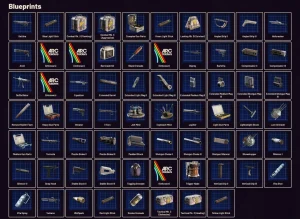
Many players underestimate how spawn cycles, elite ARC patrols, and contested POIs affect drop probability. Understanding these mechanics dramatically improves progression speed and crafting unlock efficiency.
In this guide, we break down the 10 Best Places To Find Blueprints In Arc Raiders, focusing on loot density, enemy tier scaling, extraction viability, and high-yield farming efficiency.
10 Best Places To Find Blueprints In Arc Raiders
1. The Dam Complex – Embark Studios – Best High-Tier Industrial Blueprint Farm
To begin with, The Dam Complex is widely considered the most consistent industrial blueprint farming location in Arc Raiders. Its dense ARC patrol routes and interior loot containers create multiple high-tier spawn opportunities. Players targeting weapon modification schematics benefit significantly from repeated controlled clears.
The area features multi-level structures, increasing chest density per square meter compared to open-world sites. Elite ARC units frequently patrol upper platforms, boosting rare drop probabilities. However, extraction routes are narrow and often camped during peak hours.
Experienced players recommend squad-based runs for maximum control and faster rotation cycles. Solo players must approach cautiously due to vertical sightlines. When executed properly, this zone delivers some of the strongest blueprint yields in the game.
Pros:
• High rarity
• Dense spawns
• Elite drops
• Industrial loot
• Multi-level
• Strong rewards
• Squad synergy
Cons:
• High risk
• Camped exits
• Heavy patrols
2. Skybridge Ruins – Embark Studios – Best Mid-Game Blueprint Farming Route
Next, Skybridge Ruins offers a balanced risk-to-reward blueprint farming environment. It combines open traversal with clustered loot buildings. Mid-tier players often prioritize this zone for gear progression efficiency.
ARC drone waves spawn periodically, increasing blueprint drop chances during events. Loot crates inside collapsed infrastructure structures provide consistent schematic rolls. Extraction points are moderately spaced, improving survival probability.
This location excels for players optimizing hourly blueprint returns without extreme danger. PvP presence is steady but manageable. It is ideal for structured farming loops.
Pros:
• Balanced risk
• Event spawns
• Strong mid-tier
• Open mobility
• Steady drops
• Good exits
• Repeatable loops
Cons:
• PvP traffic
• Limited cover
• Medium rarity
3. Subterranean Transit Hub – Embark Studios – Best Close-Quarters Blueprint Drops
Importantly, the Subterranean Transit Hub provides high blueprint density within compact corridors. Close-quarter ARC encounters frequently trigger rare container spawns. Shotgun and SMG blueprint variants are common here.
The underground layout limits sniper threats but increases ambush potential. Loot clusters appear in maintenance rooms and rail control offices. Elite ARC security units improve drop rates when cleared systematically.
Coordinated clearing increases survival efficiency significantly. Players who control choke points can maximize container access. This zone is highly rewarding for tactical teams.
Pros:
• Dense containers
• CQB advantage
• Elite spawns
• Strong weapon drops
• Protected routes
• High rotation
• Fast clears
Cons:
• Tight spaces
• Ambush risk
• Limited exits
4. Coastal Radar Station – Embark Studios – Best Electronic Blueprint Farming Location
Additionally, Coastal Radar Station specializes in electronic and gadget blueprint drops. Players farming advanced utility upgrades frequently rotate this location. Drone-heavy ARC patrols enhance rare schematic probabilities.
Open terrain allows early threat detection but reduces natural cover. The radar building interior hosts concentrated crate spawns. Event-triggered defense waves further increase loot potential.
Extraction routes are accessible but visible from distance. Tactical smoke deployment improves survival rates. This location suits coordinated squads.
Pros:
• Electronic focus
• Drone events
• High visibility
• Good loot clusters
• Strategic layout
• Squad friendly
• Reliable drops
Cons:
• Sniper exposure
• Event noise
• PvP draw
5. Frozen Industrial Yard – Embark Studios – Best Late-Game Armor Blueprint Zone
Furthermore, Frozen Industrial Yard is a late-game farming hotspot for armor schematics. Heavy ARC units spawn in waves, significantly increasing blueprint rarity tiers. The environment slows movement, adding tactical complexity.
Loot crates are scattered among warehouses and loading docks. Clearing heavy ARC enemies improves drop tables considerably. However, armor-piercing enemies present high lethality.
This location rewards well-equipped players. Coordinated squad overwatch reduces wipe probability. It consistently produces top-tier defensive blueprints.
Pros:
• High rarity
• Armor focus
• Heavy ARC
• Warehouse loot
• Late-game
• Strong returns
• Valuable drops
Cons:
• Extreme danger
• Slow mobility
• Ammo drain
6. Abandoned Residential Block – Embark Studios – Best Early Blueprint Location
Meanwhile, Abandoned Residential Block is ideal for beginners farming starter blueprints. ARC density is manageable for entry-level gear. Weapon attachment schematics frequently spawn in apartment units.
Loot containers are accessible without deep combat commitment. Extraction points are closer compared to high-risk zones. PvP traffic remains moderate.
This location builds early crafting momentum. Repeated short runs increase blueprint inventory steadily. It is excellent for efficient early progression.
Pros:
• Beginner friendly
• Easy access
• Moderate risk
• Close exits
• Quick runs
• Consistent drops
• Safe farming
Cons:
• Lower rarity
• Limited elites
• Smaller zone
7. Military Bunker Alpha – Embark Studios – Best Weapon Blueprint Stronghold
Moreover, Military Bunker Alpha delivers some of the highest weapon blueprint drop rates in Arc Raiders. High-tier ARC defense units guard interior vault rooms. Assault rifle and heavy weapon schematics are common.
The bunker layout creates high-stakes interior combat. Loot containers are clustered in restricted access chambers. Controlled pushes maximize survival odds.
Extraction is difficult but rewarding. PvP engagement frequency is high due to loot quality. This remains a top-tier blueprint destination.
Pros:
• Weapon focus
• Vault loot
• Elite units
• High rarity
• Dense containers
• Competitive drops
• Strong rewards
Cons:
• PvP heavy
• Hard exits
• High skill
8. Power Grid Facility – Embark Studios – Best Utility Upgrade Blueprints
Additionally, Power Grid Facility specializes in crafting utility upgrades. Electrical ARC enemies enhance drop scaling. Gadget blueprint frequency is statistically strong.
The facility includes layered interior rooms with concentrated loot spawns. ARC turrets increase environmental danger. Proper EMP counterplay improves farming success.
This location rewards strategic planning. Blueprint diversity is strong. It is ideal for support-role players.
Pros:
• Utility focus
• Diverse drops
• Layered design
• Strategic play
• Reliable yields
• High density
• Event synergy
Cons:
• Turret risk
• Mid rarity
• Complex layout
9. Mountain Communication Tower – Embark Studios – Best Sniper Blueprint Location
Likewise, Mountain Communication Tower is favored for long-range weapon schematics. Elevated positioning offers early detection advantages. ARC drone patrols boost rare drop tables.
Loot crates spawn within tower control rooms and outer storage sheds. PvP sniper duels are frequent. Extraction paths are exposed but predictable.
This area benefits precision players. Tactical overwatch increases blueprint security. It remains strong for ranged builds.
Pros:
• Sniper focus
• High ground
• Rare drops
• Tactical sightlines
• Strong rotations
• Open control
• Elite drones
Cons:
• Exposure risk
• PvP duels
• Limited cover
10. ARC Crash Site Delta – Embark Studios – Best Dynamic Event Blueprint Farm
Finally, ARC Crash Site Delta provides dynamic event-based blueprint farming. Temporary ARC reinforcements significantly increase loot quality. Rare schematic drops spike during crash waves.
Loot containers spawn around wreckage clusters. Combat intensity is extreme but short-lived. Successful clears reward high-value blueprints.
This location is volatile but profitable. Squad synergy dramatically improves extraction success. It is a high-risk, high-reward blueprint hotspot.
Pros:
• Event boosted
• Rare spawns
• High value
• Fast cycles
• Dynamic loot
• Elite waves
• Strong payouts
Cons:
• Extreme danger
• Short windows
• Heavy PvP
FAQs About Finding Blueprints In Arc Raiders
1. What is the fastest way to farm blueprints in Arc Raiders?
Focus on high-density elite ARC zones and rotate extraction routes efficiently.
2. Do blueprint drops scale with difficulty?
Yes, higher-tier enemies statistically increase rare schematic drop rates.
3. Are event zones better for farming?
Dynamic events often boost loot tables temporarily.
4. Can solo players farm high-tier blueprints?
Yes, but squad runs significantly improve survival probability.
5. How important are elite ARC units?
Elite enemies provide improved drop scaling for rare schematics.
6. Are underground areas safer?
They reduce sniper risk but increase ambush potential.
7. What location is best overall?
The Dam Complex consistently provides strong high-tier blueprint returns.
Conclusion
In conclusion, The Dam Complex stands out as the best overall blueprint farming location due to elite spawn density and rare schematic consistency. Military Bunker Alpha is the clear runner-up because of its exceptional weapon blueprint drop rates.
Each location serves a distinct progression role, from early-game farming in Residential Blocks to high-risk event farming at ARC Crash Site Delta. Choosing the right blueprint zone depends on gear level, squad size, and risk tolerance.
Efficient farming requires strategic rotations, elite targeting, and safe extraction planning. Mastering these locations significantly accelerates crafting progression.
Start optimizing your farming routes today, control high-tier zones, and secure the blueprints that will dominate your next Arc Raiders run.
10 Best Antihistamine For Bee Sting
Bee stings can cause immediate pain, swelling, and itching, making it essential to have the best antihistamine for bee sting on hand. Antihistamines work by blocking histamine, the chemical responsible for allergic reactions, reducing both discomfort and inflammation.
Selecting the right antihistamine ensures quick relief and prevents secondary reactions, especially for sensitive individuals prone to allergies. Oral, topical, and fast-dissolving antihistamines each provide different levels of convenience and speed.
While mild stings often respond to over-the-counter options, severe reactions may require medical intervention such as epinephrine. Combining antihistamines with ice packs, hydrocortisone, or aloe vera can improve comfort and accelerate recovery.
In this guide, we examine the 10 best antihistamine for bee sting, detailing their effectiveness, usage, and suitability for adults and children. You’ll gain practical guidance for rapid, safe relief from bee sting discomfort.
10 Best Antihistamine For Bee Sting
1. Benadryl (Diphenhydramine) – Best Fast-Acting Relief
Beginners should take Benadryl immediately after a sting to reduce swelling and itching. Diphenhydramine is a well-established antihistamine that acts quickly on histamine receptors. It can be taken orally or applied as a cream to target localized irritation.
This medication is effective for both mild and moderate stings. Its sedative properties may help reduce discomfort from itching. It’s suitable for adults and children over the recommended age.
Many users report noticeable relief within 15–30 minutes. Benadryl also helps prevent progression of allergic symptoms. Use as directed to avoid excessive drowsiness.
Pros:
• Fast relief
• Reduces swelling
• Topical or oral
• Widely available
• Effective
• Prevents reaction
• Reliable
Cons:
• Causes drowsiness
• Short duration
• Not for infants
2. Claritin (Loratadine) – Best Non-Drowsy Option
Beginners can use Claritin for relief without drowsiness. Loratadine blocks histamine to reduce itching, swelling, and redness. It is suitable for daytime use and doesn’t impair alertness.
Claritin works for mild to moderate bee stings. It has a long duration, often lasting 24 hours per dose. Safe for children and adults above two years old.
Many users prefer it for outdoor activities or work. It’s available as tablets or liquid for easy administration. Claritin is ideal for ongoing allergy management post-sting.
Pros:
• Non-drowsy
• Long-lasting
• Reduces itching
• Easy use
• Safe
• Children-friendly
• Effective
Cons:
• Slower onset
• May need repeat
• Less potent than Benadryl
3. Zyrtec (Cetirizine) – Best for Severe Reactions
Beginners should choose Zyrtec for stronger antihistamine effects. Cetirizine provides rapid relief from itching and swelling caused by bee stings. It can be taken once daily and is effective for multiple stings.
This option is suitable for sensitive individuals prone to allergic reactions. It works within one hour for most users. Zyrtec is available in tablets, liquids, and chewables.
Many report noticeable symptom reduction within an hour. Combining Zyrtec with cold compresses increases comfort. It’s a reliable choice for moderate-to-severe reactions.
Pros:
• Fast acting
• Long duration
• Easy dosing
• Children-friendly
• Reduces swelling
• Convenient
• Effective
Cons:
• Mild drowsiness
• Not instant
• Expensive
4. Allegra (Fexofenadine) – Best Non-Sedating Option
Beginners should use Allegra when avoiding drowsiness is essential. Fexofenadine reduces histamine activity effectively. It works well for itching, redness, and swelling from bee stings.
Allegra is suitable for daytime use and repeated dosing. It is less likely to cause sedation than older antihistamines. Suitable for children above six years old.
Many users take Allegra during work or school. It’s available as tablets or oral suspension. Combined with topical treatments, it provides excellent comfort.
Pros:
• Non-drowsy
• Fast relief
• Long-lasting
• Safe
• Child-friendly
• Convenient
• Effective
Cons:
• Slower onset
• Expensive
• Not instant
5. Chlor-Trimeton (Chlorpheniramine) – Best Budget Option
Beginners looking for a cost-effective solution can use Chlor-Trimeton. Chlorpheniramine blocks histamine to reduce swelling and itching. It works for mild to moderate bee stings.
It’s available in tablets and syrup for easy administration. It may cause slight drowsiness but is widely accessible. Suitable for both adults and children over two.
Many users appreciate the affordable price. It’s effective as a short-term solution. Ideal for home first aid kits.
Pros:
• Affordable
• Easy use
• Reduces itching
• Effective
• Available
• Children-friendly
• Fast
Cons:
• Slight drowsiness
• Short effect
• Must repeat
6. Xyzal (Levocetirizine) – Best for Persistent Swelling
Beginners can try Xyzal for bee stings causing prolonged swelling. Levocetirizine is a potent antihistamine for long-lasting relief. It is ideal for adults and children over six.
Xyzal works for moderate allergic reactions. Symptom relief typically occurs within an hour. It’s non-sedating for most users.
Many users report fewer repeat applications. It’s convenient for daily use if multiple stings occur. Safe for long-term occasional use.
Pros:
• Long-lasting
• Non-drowsy
• Reduces swelling
• Easy take
• Potent
• Effective
• Convenient
Cons:
• Needs hour to work
• Expensive
• Children under six
7. Topical Hydrocortisone + Antihistamine – Best Combined Approach
Beginners can apply creams combining hydrocortisone with antihistamine to target itching and inflammation. This method directly soothes the sting site. It’s ideal for localized reactions.
The combination works faster than oral alone. It reduces redness and prevents scratching. Many first-aid kits include these creams.
Users report rapid relief and less skin irritation. It complements oral antihistamines for severe stings. Easy to apply multiple times daily.
Pros:
• Quick relief
• Combats swelling
• Reduces itching
• Convenient
• Localized
• Fast
• Effective
Cons:
• Skin dryness
• Limited coverage
• Must rinse
8. Suprastin (Chlorpheniramine) – Best for Pediatric Use
Beginners can use Suprastin syrup for children’s bee stings. It reduces swelling and itching safely. Dosage is adjusted by age and weight.
It’s effective for mild to moderate stings. Suitable for home use and travel. Non-expensive and widely available in pharmacies.
Many parents report noticeable relief in 30–60 minutes. Easy to administer with a spoon or dropper. Safe for children under supervision.
Pros:
• Child-friendly
• Reduces itching
• Affordable
• Easy dose
• Effective
• Widely available
• Fast
Cons:
• Mild drowsiness
• Short duration
• Repeat needed
9. Oral Cetirizine Fast-Dissolving – Best for Immediate Relief
Beginners can try fast-dissolving cetirizine tablets for rapid symptom relief. Dissolving tablets act faster than traditional tablets. They are easy to swallow for children and adults.
This method reduces swelling and itching within an hour. Suitable for on-the-go treatment. Ideal for mild to moderate stings.
Many users carry it in first-aid kits. It’s convenient and effective. Provides relief for multiple stings at once.
Pros:
• Fast relief
• Easy take
• Convenient
• Reduces swelling
• Child-friendly
• Portable
• Effective
Cons:
• Short-term
• Limited supply
• Slight drowsiness
10. Combination Antihistamine + Cold Compress – Best Holistic Relief
Beginners should combine oral antihistamine with cold compress for maximum relief. Cold compress numbs pain, while antihistamine reduces histamine-induced swelling. This combination works for large or multiple stings.
It’s safe for children and adults. Repeat as necessary for persistent irritation. Can be combined with topical creams for faster comfort.
Many users report the fastest recovery using this approach. It’s practical, effective, and inexpensive. Provides both immediate and lasting relief.
Pros:
• Fast relief
• Reduces swelling
• Pain numbing
• Child-safe
• Effective
• Convenient
• Comprehensive
Cons:
• Requires prep
• Temporary
• Needs repeat
Best Antihistamine For Bee Sting FAQs
1. How fast do antihistamines work for bee stings?
Most oral antihistamines work within 30–60 minutes, while topical creams can act faster.
2. Are non-drowsy antihistamines effective?
Yes, products like Claritin, Allegra, and Xyzal provide relief without sedation.
3. Can children take antihistamines?
Yes, with proper dosing based on age and weight.
4. Should I combine oral and topical antihistamines?
Yes, for severe or widespread stings, combination treatment increases effectiveness.
5. Are antihistamines safe for pregnant women?
Consult a healthcare provider; some options are considered safe under supervision.
6. Do antihistamines prevent allergic reactions?
They reduce symptoms but do not prevent severe anaphylaxis.
7. When should I see a doctor after a sting?
Seek emergency care if you experience severe swelling, difficulty breathing, or systemic allergic reactions.
Conclusion
In conclusion, the best antihistamine for bee sting depends on the severity of the reaction and individual needs. Fast-acting options like Benadryl provide immediate relief, while non-drowsy alternatives like Claritin or Allegra are ideal for daytime use.
The runner-up for severe stings is Zyrtec, offering long-lasting relief and potent antihistamine effects. Combining topical creams or cold compresses with oral medications improves comfort and accelerates healing.
Pediatric options such as Suprastin syrup and chewable cetirizine ensure safe, effective relief for children. Using these remedies, you can quickly manage pain, reduce swelling, and prevent itching.
Always keep antihistamines in your first-aid kit to respond to unexpected bee encounters effectively.