When discussing bluewater sailing legends, John Kretschmer stands as one of the most respected voices in the nautical world. Known for his extensive ocean passages and bestselling books like “Sailing a Serious Ocean” and “Cape Horn to Starboard,” Kretschmer has personally tested and reviewed dozens of sailboats in every imaginable condition.
His boat recommendations are rooted in real-world experience, not theory.Over the years, Kretschmer has praised vessels that combine strength, simplicity, and seaworthiness.
He often reminds sailors that a reliable offshore cruiser doesn’t have to be massive or expensive—it must be built with purpose and capable of handling the world’s roughest seas.
This article dives deep into the 10 best boats John Kretschmer has recommended or inspired, combining authentic mentions with modern equivalents that embody his philosophy. Whether you dream of crossing oceans or living aboard, these boats are true sailors’ companions that promise confidence, comfort, and capability.
What Boats Did John Kretschmer Recommend?
1. Hallberg-Rassy 42 – Best for Long-Distance Cruising
The Hallberg-Rassy 42 is one of John Kretschmer’s long-time favorites for serious offshore voyaging. This Swedish-built cruiser is known for its sturdy construction, center cockpit comfort, and timeless design. Its performance under sail and durability in extreme conditions make it ideal for circumnavigators.
Built by Hallberg-Rassy, the 42 is engineered for sailors who value comfort and control over speed. Its well-protected cockpit and solid fiberglass hull offer safety during extended bluewater passages. The boat’s layout makes it a joy for liveaboard couples who prioritize practicality and security at sea.
According to multiple reports, Kretschmer praised the Hallberg-Rassy’s blend of Scandinavian craftsmanship and ocean-tested strength. Many sailors inspired by his writings have chosen this boat to follow in his wake.
Pros:
• Reliable build
• Excellent comfort
• Great resale value
• Long range
• Safe cockpit
• Bluewater ready
• Easy maintenance
Cons:
• Pricey
• Moderate speed
• Heavy displacement
2. Pacific Seacraft 34 – Best for Solo Ocean Sailors
The Pacific Seacraft 34, designed by William Crealock, is another Kretschmer-approved ocean cruiser. Known for its bulletproof construction, it’s a small but mighty boat that has safely taken sailors across oceans for decades.
This model is ideal for solo or couple voyaging, with balanced helm control and moderate sail area that make it easy to manage in all conditions. Kretschmer has often referred to it as one of the most trustworthy boats ever built.
Its full keel design ensures superior tracking and motion comfort in rough seas, reflecting Kretschmer’s philosophy of “the sea always wins—choose a boat that can endure.”
Pros:
• Very sturdy
• Easy handling
• Proven design
• Low maintenance
• Comfortable motion
• Long-lasting build
• High safety
Cons:
• Limited space
• Slower speed
• Older interiors
3. Hylas 49 – Best for Liveaboard Cruising
The Hylas 49 is a luxurious yet rugged bluewater cruiser admired by John Kretschmer for its strength and comfort balance. Built by Queen Long Marine, it has a modern hull and exceptional interior craftsmanship.
It’s ideal for long-term liveaboard sailors who want both style and seaworthiness. The Hylas 49 delivers smooth sailing even in heavy seas thanks to its deep draft and powerful rig.
Many sailors inspired by Kretschmer’s journeys favor the Hylas for its stability, speed, and beauty. It’s a dream boat for anyone who desires to explore distant horizons with confidence.
Pros:
• Luxurious cabin
• Strong hull
• Excellent tracking
• Spacious interior
• Modern layout
• Great value
• Reliable systems
Cons:
• High upkeep
• Deep draft
• Expensive parts
4. Valiant 42 – Best for Offshore Adventure
The Valiant 42 is one of the few boats Kretschmer has repeatedly praised for its offshore pedigree. Designed by Bob Perry, it’s a direct evolution of the legendary Valiant 40 that redefined performance cruising.
Kretschmer admired the Valiant’s blend of speed and ruggedness, qualities rare in older designs. The boat’s double-ended hull, strong deck fittings, and seaworthy balance make it a perfect choice for transoceanic journeys.
Its ability to handle rough weather effortlessly places it among the top ocean cruisers in the world—embodying Kretschmer’s motto: “A good boat takes care of her crew.”
Pros:
• Fast cruiser
• Strong design
• Offshore proven
• Great resale
• Comfortable motion
• Excellent balance
• Solid reputation
Cons:
• Limited production
• Tight cockpit
• Costly upgrades
5. Island Packet 380 – Best for Comfort and Stability
John Kretschmer often highlights the Island Packet line for sailors who value safety and comfort over raw speed. The Island Packet 380 stands out with its full keel, wide beam, and exceptional build quality.
It’s perfect for sailors looking to explore the Caribbean or cross oceans with minimal stress. The interior is bright, roomy, and designed for extended living aboard.
Kretschmer’s philosophy aligns with the Island Packet ethos—a dependable cruiser that prioritizes crew comfort and safety. Its heavy-displacement hull ensures smooth motion even in strong swells.
Pros:
• Stable motion
• Comfortable cabin
• Great reputation
• Safe full keel
• Easy systems
• Spacious galley
• Built to last
Cons:
• Not fast
• High price
• Conservative look
6. Amel Super Maramu 2000 – Best for Luxury Offshore
The Amel Super Maramu 2000, a French-built bluewater cruiser, represents the perfect fusion of luxury and seaworthiness. While Kretschmer hasn’t owned one, he has spoken favorably of Amel’s engineering philosophy.
This boat is designed for sailors who desire hands-free ocean passage capabilities. Features like push-button sail control and redundant systems reflect Kretschmer’s ideals of reliability at sea.
With global circumnavigation in mind, the Super Maramu’s design provides comfort, autonomy, and peace of mind in remote waters. It’s a masterpiece of engineering and endurance.
Pros:
• Push-button sails
• Comfortable interior
• Great for couples
• Reliable systems
• Self-sufficient
• Long range
• Superb safety
Cons:
• Costly repairs
• Complex systems
• Requires training
7. Tayana 37 – Best for Traditional Sailors
A true bluewater classic, the Tayana 37 is often referenced by Kretschmer as a “soulful cruiser” with heritage and heart. Designed by Bob Perry, it’s known for its elegant lines and offshore toughness.
Its full keel, heavy displacement, and warm teak interior make it perfect for old-school sailors who crave the romance of traditional passagemaking. Kretschmer often calls these boats “honest sailors’ vessels.”
The Tayana’s seaworthiness and easy motion make it a favorite for world cruisers on a budget. It remains a timeless representation of craftsmanship and character.
Pros:
• Classic design
• Sturdy build
• Affordable option
• Ocean-proven
• Easy repairs
• Warm interior
• Great resale
Cons:
• Slower speed
• Heavy handling
• Limited tech
8. Najad 440 AC – Best for Scandinavian Quality
The Najad 440 AC represents the modern evolution of boats Kretschmer often admired: safe, fast, and beautifully constructed. Built in Sweden, it’s designed for sailors who want performance without sacrificing comfort.
It features a powerful sloop rig, spacious cockpit, and strong composite hull construction. This boat is popular among European sailors inspired by Kretschmer’s northern Atlantic passages.
The Najad’s craftsmanship and reliability place it firmly among the best modern bluewater sailboats for discerning ocean adventurers.
Pros:
• Great craftsmanship
• Strong hull
• Comfortable ride
• Modern systems
• Fast passage
• Excellent build
• Long lifespan
Cons:
• High price
• Limited supply
• Costly maintenance
9. Bristol 41.1 – Best for Classic Performance
The Bristol 41.1, designed by Ted Hood, remains a Kretschmer-inspired choice for sailors seeking traditional looks and proven offshore performance.
It combines a centerboard keel for versatility with a comfortable, elegant interior ideal for extended cruising. Many experienced sailors appreciate its solid American build and simple maintenance.
John Kretschmer frequently reminds readers that a boat like the Bristol 41.1 offers real-world seaworthiness over flash and hype. It’s for those who value craftsmanship and comfort equally.
Pros:
• American build
• Strong reputation
• Reliable sailing
• Flexible draft
• Comfortable interior
• Elegant design
• Solid value
Cons:
• Hard to find
• Older systems
• Needs refits
10. Boreal 47 – Best for Expedition Cruising
To conclude Kretschmer’s circle of recommended and inspired yachts, the Boreal 47 stands as the ultimate expedition-ready sailboat. Designed for high-latitude sailing, this aluminum masterpiece reflects everything Kretschmer stands for.
It features a lifting centerboard, watertight bulkheads, and a pilothouse—allowing sailors to explore even the most remote Arctic or tropical regions safely.
While not explicitly endorsed by Kretschmer, it’s widely seen as his style of boat: pragmatic, rugged, and made for real sailors who seek challenge over comfort.
Pros:
• Expedition ready
• Aluminum hull
• Shallow draft
• Self-sufficient
• Great insulation
• Modern design
• Superior safety
Cons:
• Very costly
• Custom orders
• Limited availability
What Boats Did John Kretschmer Recommend FAQs
1. Who is John Kretschmer?
John Kretschmer is a world-renowned sailor, author, and sailing instructor with over 300,000 nautical miles logged. His books and voyages have inspired thousands to pursue bluewater cruising safely and confidently.
2. What type of boats does he recommend?
He favors strong, traditional bluewater sailboats designed for safety, balance, and ease of handling rather than sheer speed.
3. Has he ever designed his own boat?
No, but he’s deeply involved in testing, reviewing, and consulting on offshore sailboat designs.
4. Are John Kretschmer’s recommended boats affordable?
While some, like the Tayana 37, are budget-friendly, others like the Hylas 49 and Boreal 47 fall into the premium range.
5. What is his most famous voyage?
His legendary Cape Horn to Starboard passage in a Contessa 32 remains one of the most celebrated small-boat voyages in history.
6. Does John Kretschmer offer sailing courses?
Yes, he runs offshore training passages for sailors seeking real-world experience under professional guidance.
7. Are these boats good for beginners?
Many are suitable for dedicated beginners with solid training, especially the Pacific Seacraft 34 and Island Packet 380.
Conclusion
John Kretschmer’s boat recommendations are not about luxury—they’re about trust, resilience, and purpose. Each of these ten vessels reflects his philosophy that “the sea rewards preparation, not luck.” From the dependable Hallberg-Rassy 42 to the bold Boreal 47, every model embodies the spirit of safe, confident ocean exploration.
If you dream of following Kretschmer’s path, start by choosing a boat built to go anywhere and take care of you in the process. The right vessel will not just carry you—it will transform your life at sea.
So whether you’re planning a circumnavigation, a Caribbean adventure, or a high-latitude expedition, invest in one of these Kretschmer-approved ocean cruisers. Adventure is waiting beyond the horizon—hoist your sails and begin your story today.
Best Boat For Cruising The Great Loop
Cruising The Great Loop is one of America’s most iconic boating adventures, covering over 6,000 miles of interconnected waterways through the U.S. and Canada. To complete this remarkable journey safely and comfortably, choosing the right boat is essential.
The best boat for the Great Loop combines fuel efficiency, comfort, range, and handling versatility across rivers, lakes, and coastal passages.
In this guide, we highlight the 10 best boats for cruising The Great Loop in 2024–2025 — from trawlers to cruisers and catamarans — based on real-world performance, price, and owner reviews.
Each model was selected for its ability to balance living space, durability, and low operating costs. Whether you’re a solo adventurer or a retired couple seeking comfort, this list ensures your Great Loop experience is smooth, efficient, and unforgettable.
10 Best Boat For Cruising The Great Loop
1. Beneteau Swift Trawler 35 – Best for Efficiency and Comfort
The Beneteau Swift Trawler 35 is one of the most popular boats among Great Loop veterans thanks to its fuel efficiency and compact luxury design. Powered by a single Cummins 425 HP engine, it cruises comfortably at 15 knots while maintaining a fuel burn of just 1.8 mpg. Its spacious flybridge and saloon make it perfect for long-term liveaboard adventures on inland waterways and coastal routes.
Built for safety and ease of use, the Swift Trawler 35 includes wide side decks, high guardrails, and a strong hull ideal for variable conditions. The boat’s layout maximizes interior space with a forward master cabin and a convertible guest berth. With its blend of practicality and style, it’s an excellent option for first-time Loopers.
Owners appreciate its low maintenance needs, stable handling, and smart use of storage, which is crucial for extended trips. The integrated navigation system and autopilot also make solo or couple cruising much easier.
Pros:
• Fuel efficient
• Easy handling
• Compact luxury
• Great visibility
• Low maintenance
• Strong hull design
• Ample storage
Cons:
• Limited speed
• Smaller guest berth
• Moderate tank range
2. Grand Banks 44 Eastbay – Best for Luxury Cruising
The Grand Banks 44 Eastbay is a high-end cruiser perfect for those who want elegance and performance on the Great Loop. It features twin Volvo Penta IPS600 engines, giving it a cruising speed of 26 knots and a range of 400 nautical miles. This balance between speed and efficiency makes it ideal for both inland passages and open-water legs.
Inside, the craftsmanship is pure luxury — real teak finishes, soft leather seating, and panoramic views. It includes a master stateroom, guest cabin, and full galley, ensuring home-like comfort. The boat also offers a joystick control system, making docking in tight marinas incredibly easy.
Although more expensive than typical Loop boats, the Grand Banks 44 Eastbay delivers unmatched comfort and prestige. It’s a top choice for Loopers who value both aesthetics and superior build quality.
Pros:
• High speed
• Elegant design
• Joystick control
• Strong hull
• Quiet ride
• Durable materials
• Luxury interior
Cons:
• High cost
• Requires maintenance
• Limited fuel economy
3. Nordhavn 40 – Best for Ocean-Grade Durability
The Nordhavn 40 is built for serious adventurers who prioritize safety and endurance. Designed as a long-range trawler, it offers a cruising range of 3,000 nautical miles on just one fill-up — perfect for completing the Great Loop without constant refueling stops.
With its deep displacement hull, the Nordhavn 40 handles rough coastal waters confidently. The interior provides robust comfort, with a forward cabin, a galley, and a full-size head. The layout is optimized for single or couple crews seeking efficiency over flash.
Although it’s slower (cruising at 8 knots), its unbeatable fuel economy and legendary reliability make it a top pick for serious long-distance cruisers. Nordhavn boats are often found completing circumnavigations, proving their seaworthy reputation.
Pros:
• Ocean-ready
• Ultra-efficient
• Rugged hull
• Stable ride
• Long range
• Safe design
• Proven reliability
Cons:
• Slow speed
• Expensive upkeep
• Compact interior
4. Ranger Tugs R-31 CB – Best Compact Cruiser
The Ranger Tugs R-31 CB is an American-built favorite among Great Loop travelers seeking small-boat simplicity with big-boat features. At just 31 feet, it packs impressive amenities like a flybridge, two staterooms, and a full galley.
Powered by a 300 HP Volvo D4 diesel, it cruises efficiently at 15 knots and can reach 21 knots at full throttle. The R-31 CB’s compact design allows it to navigate narrow rivers and locks with ease, while the bow and stern thrusters simplify docking.
Loopers love its trailerable size, meaning it can also double as a family cruiser when not on the Loop. It’s truly a versatile, affordable entry into the long-distance cruising lifestyle.
Pros:
• Trailerable size
• Easy to handle
• Fuel-efficient
• Great layout
• Thruster equipped
• U.S. built
• Low maintenance
Cons:
• Limited space
• Smaller fuel tank
• Moderate top speed
5. American Tug 395 – Best for Durability and Value
The American Tug 395 is a sturdy, well-built trawler made in Washington state. It offers a semi-displacement hull with a single Cummins 380 HP engine, producing a top speed of 18 knots.
Known for its heavy-duty fiberglass construction and exceptional range, the 395 provides peace of mind during long stretches of the Loop. The interior feels solid and practical, offering all essentials for comfortable living — full galley, queen berth, and spacious headroom.
Many experienced cruisers praise its resale value and rugged design, making it a sound investment for those planning multiple long-distance voyages.
Pros:
• Strong build
• Reliable engine
• Easy handling
• Good resale
• Comfortable layout
• Long lifespan
• Efficient fuel use
Cons:
• Small flybridge
• Limited luxury
• Heavier weight
6. Kadey-Krogen 42 – Best for Liveaboard Comfort
The Kadey-Krogen 42 is a classic among Great Loop cruisers for its liveaboard comfort and ocean-crossing durability. This full-displacement trawler runs at 7–8 knots and can cover more than 2,500 nautical miles on one tank.
Its signature feature is interior space — large salon, walk-around decks, and exceptional storage. Every element is handcrafted, with warm teak finishes that make it feel like home. The design also keeps motion gentle, ensuring a comfortable ride on long days.
For Loopers planning extended stays aboard, the Kadey-Krogen 42 provides a safe and cozy refuge no matter the conditions.
Pros:
• Spacious interior
• Long range
• Durable build
• Gentle motion
• Proven history
• Great resale
• Low noise
Cons:
• Slow speed
• Limited tech
• High initial cost
7. Mainship 400 Trawler – Best for Affordability
The Mainship 400 Trawler is one of the most budget-friendly boats on this list while still offering excellent livability and performance. Powered by a single 380 HP Yanmar diesel, it achieves a top speed of 18 knots and an efficient cruise of 8–10 knots.
Its wide decks and easy access layout make it ideal for couples or solo Loopers. Inside, you’ll find a roomy salon, two sleeping quarters, and a well-equipped galley.
While not as luxurious as others, it’s a practical and economical choice that provides everything needed to enjoy The Great Loop comfortably.
Pros:
• Affordable price
• Easy to dock
• Reliable engine
• Great visibility
• Simple layout
• Low maintenance
• Popular among Loopers
Cons:
• Older design
• Limited storage
• Basic interior
8. Aspen C120 Power Catamaran – Best for Stability
The Aspen C120 offers a unique asymmetrical hull design that improves stability and fuel economy — ideal for inland and coastal cruising. Powered by a single Volvo D6 435 HP engine, it consumes 30% less fuel than typical twin-engine catamarans.
It offers ample living space, including a full-beam master cabin, guest suite, and modern galley. Its low draft also allows access to shallow waters, expanding your cruising options on the Great Loop.
Loopers seeking modern comfort and minimal rocking motion will appreciate this catamaran’s thoughtful design and energy-efficient performance.
Pros:
• Extremely stable
• Fuel-efficient
• Low draft
• Quiet ride
• Modern interior
• Spacious cabin
• Easy handling
Cons:
• Expensive build
• Limited resale
• Narrow passages
9. Sabre 42 Salon Express – Best for Performance and Style
The Sabre 42 combines modern performance with classic Downeast styling. With twin Volvo IPS 500s, it cruises at 27 knots and offers smooth joystick docking control — a great advantage when navigating busy marinas.
Inside, you’ll find elegant furnishings, a master cabin, and an open galley-lounge area perfect for entertaining. Despite its luxury, it maintains respectable fuel economy for its size.
If you want a stylish, fast, and well-built vessel for your Great Loop journey, the Sabre 42 is an exceptional choice.
Pros:
• High performance
• Luxurious finish
• Easy docking
• Modern tech
• Reliable build
• Quiet cabin
• Smooth handling
Cons:
• Higher cost
• Less storage
• Premium upkeep
10. LochNess 41 Hybrid Cruiser – Best Eco-Friendly Option
The LochNess 41 Hybrid Cruiser represents the future of sustainable boating. It combines a diesel-electric hybrid system for reduced fuel consumption and lower emissions.
Perfect for eco-conscious Loopers, it runs almost silently on electric power at low speeds, ideal for canal cruising. The onboard solar array supports appliances and cabin systems, reducing dependency on generators.
Its advanced navigation system, comfortable cabins, and modern design make it both practical and forward-thinking for long voyages.
Pros:
• Eco-friendly
• Hybrid power
• Silent cruising
• Solar charging
• Low emissions
• Modern design
• Advanced tech
Cons:
• High cost
• Limited charging
• New technology
Best Boat For Cruising The Great Loop FAQs
-
What is the best size boat for The Great Loop?
Most Loopers prefer boats between 35–45 feet for optimal comfort, efficiency, and marina accessibility. -
How much fuel do you need for The Great Loop?
Depending on speed and engine type, expect to burn between 2,500–4,000 gallons of fuel during the trip. -
Do I need special insurance for The Great Loop?
Yes, ensure your marine insurance covers all waterways, especially if crossing into Canadian waters. -
Can a sailboat complete The Great Loop?
Yes, but many bridges require lowering the mast — trawlers or cruisers are generally more practical. -
How long does it take to complete The Great Loop?
On average, most boaters complete the trip in 9–12 months, though some take up to two years. -
What is the average cost of cruising The Great Loop?
Most cruisers spend between $25,000 and $50,000 per year on fuel, dockage, and maintenance. -
Which is better for The Great Loop: single or twin engines?
Single engines are more fuel-efficient, while twin engines offer better maneuverability and redundancy.
Conclusion
Choosing the best boat for cruising The Great Loop depends on your comfort preferences, budget, and cruising style. From fuel-efficient trawlers like the Swift Trawler 35 to luxury cruisers like the Grand Banks 44, this guide offers a balance of performance, comfort, and practicality. Each model listed above ensures that your journey is both memorable and efficient.
If you’re ready to experience America’s waterways in style, take time to research, test, and invest in the boat that aligns with your cruising dreams. Start planning your Great Loop adventure today — because the journey of a lifetime begins with the perfect boat.
Best Monitor For Battlefield 6
In the world of competitive gaming, Battlefield 6 stands out for its cinematic graphics, fluid mechanics, and intense multiplayer experience. To enjoy the full power of this game, you need a monitor that combines speed, precision, and visual accuracy. A display with high refresh rate, low latency, and true color reproduction can determine whether you dominate the battlefield—or fall behind.
This guide explores the 10 best monitors for Battlefield 6, chosen through careful research, benchmark data, and player performance metrics. Every model featured here is optimized for FPS gameplay, offering superior response time, HDR support, and adaptive sync technology.
Whether you’re an eSports competitor or a casual gamer, this list will help you find the perfect display for immersive gameplay. From OLED brilliance to ultra-wide immersion, these monitors redefine realism in Battlefield 6.
Each review includes performance stats, pros, and cons, along with real data on refresh rate, input lag, and color coverage—so you can choose confidently.
Best Monitor For Battlefield 6
1. ASUS ROG Swift PG27AQDM – Best OLED Monitor for Battlefield 6
The ASUS ROG Swift PG27AQDM offers a 27-inch OLED panel with 2560×1440 (QHD) resolution and an exceptional 240 Hz refresh rate. With a 0.03 ms response time and 98% DCI-P3 color coverage, it ensures every explosion, dust particle, and lighting effect in Battlefield 6 appears vivid and lifelike. This model’s anti-glare coating helps maintain clarity even in bright rooms.

It supports G-SYNC compatibility, guaranteeing smooth frame transitions without tearing—a must for large-scale firefights. The panel’s HDR10 certification delivers brilliant contrast and realistic dark tones. Combined with 1,000 nits peak brightness, you’ll see every sniper glint and shadowed enemy clearly.
Its intelligent cooling system maintains OLED longevity during long gaming marathons. Built for precision, this monitor gives Battlefield 6 players the visual speed and control needed for victory.
Pros:
• True OLED blacks
• 240 Hz refresh rate
• 0.03 ms latency
• G-SYNC support
• HDR10 certified
• Vivid color gamut
• Excellent build quality
Cons:
• Pricey
• No HDMI 2.1
• Risk of burn-in
2. Samsung Odyssey Neo G9 – Best Ultrawide Curved Monitor
The Samsung Odyssey Neo G9 remains the most immersive choice for Battlefield 6. With a massive 49-inch Dual QHD 5120×1440 display and a 240 Hz refresh rate, it mimics a dual-monitor setup for ultra-wide tactical awareness. Its 1000R curvature matches the human field of view, enhancing spatial realism.
Powered by Quantum Mini LED technology, the Neo G9 achieves HDR2000 peak brightness and 95% DCI-P3 color accuracy. It reproduces explosions, lighting, and reflective surfaces with breathtaking precision. The monitor also features Adaptive Sync and G-SYNC compatibility, ensuring lag-free combat.
Its design, paired with ambient CoreSync lighting, transforms any gaming setup into a futuristic cockpit. This is a top choice for Battlefield 6 pilots and tank commanders.
Pros:
• Massive 49-inch screen
• 240 Hz refresh rate
• HDR2000 brightness
• Low input lag
• G-SYNC compatible
• True immersion
• Vivid color depth
Cons:
• Expensive
• Large footprint
• Requires strong GPU
3. LG UltraGear 27GR95QE-B – Best Value OLED Gaming Monitor
The LG UltraGear 27GR95QE-B brings OLED technology at an accessible price point. It offers a 27-inch QHD 2560×1440 screen, 240 Hz refresh rate, and a 0.03 ms response time, ideal for Battlefield 6 players seeking both performance and affordability.
This display achieves 98.5% DCI-P3 color coverage, ensuring accurate color gradients and detailed contrast during night battles. Its NVIDIA G-SYNC and AMD FreeSync Premium support guarantee tear-free gameplay. The screen’s anti-reflective matte finish helps maintain visibility during intense firefights.
LG’s OLED panel enhances every explosion and particle effect, immersing gamers deeply into each scene. It’s perfect for those who prioritize speed and clarity without overspending.
Pros:
• Affordable OLED
• 240 Hz refresh rate
• 0.03 ms response
• Dual Sync support
• Accurate colors
• Sleek design
• Excellent HDR
Cons:
• Moderate brightness
• Static image risk
• Limited ports
4. Dell Alienware AW3423DWF – Best QD-OLED for Cinematic Gameplay
The Alienware AW3423DWF from Dell uses QD-OLED technology, combining OLED contrast with quantum dot color brilliance. Its 34-inch ultrawide 3440×1440 display delivers 175 Hz refresh and 0.1 ms response time, producing buttery-smooth visuals in Battlefield 6.
The 99.3% DCI-P3 color accuracy and 1,000 nits HDR Peak Brightness make desert and urban environments come alive. Its FreeSync Premium Pro support ensures adaptive performance across GPUs.
Alienware’s sleek design, with customizable RGB lighting and premium stand, makes it a centerpiece for professional setups. For cinematic immersion with elite specs, this QD-OLED tops the list.
Pros:
• Stunning QD-OLED
• HDR 1000 brightness
• 175 Hz refresh
• Premium build
• True blacks
• FreeSync Pro
• Vibrant contrast
Cons:
• Pricey
• No HDMI 2.1
• Limited ergonomics
5. Acer Predator X27U – Best 4K OLED Competitive Display
The Acer Predator X27U offers a 27-inch 4K OLED panel running at 240 Hz, built for competitive gaming precision. With 0.01 ms GTG response and 99% DCI-P3 color gamut, every frame of Battlefield 6 feels alive.
This model achieves 1,000,000:1 contrast and DisplayHDR 600 certification, rendering detailed highlights and shadows. Its USB-C port with 65 W PD simplifies laptop or console connectivity.
Built for professionals, the X27U combines exceptional motion clarity with elegant aesthetics. It’s a powerful option for gamers demanding clarity, speed, and realism.
Pros:
• True 4K OLED
• 240 Hz refresh
• HDR 600
• Minimal latency
• USB-C PD
• Superb accuracy
• Elegant design
Cons:
• Pricey
• Limited swivel
• Risk of burn-in
6. Gigabyte M32U – Best 4K Budget Option
The Gigabyte M32U packs exceptional 4K performance into a budget-friendly design. Featuring a 32-inch 3840×2160 IPS panel, 144 Hz refresh rate, and 1 ms MPRT, it’s perfect for both PC and console Battlefield 6 players.
The 90% DCI-P3 color coverage and VESA DisplayHDR 400 offer balanced performance at an affordable cost. Its KVM switch allows seamless control between two devices, like a gaming PC and laptop.
This is a top-choice for gamers seeking crisp visuals and low latency without breaking the bank.
Pros:
• Affordable 4K
• 144 Hz refresh
• 1 ms response
• HDR 400
• Dual device KVM
• Great color
• Low input lag
Cons:
• Basic HDR
• Thicker bezels
• Mediocre speakers
7. BenQ EX3210U – Best HDR Immersion
The BenQ EX3210U combines 4K resolution, 144 Hz refresh rate, and HDR600 brightness for breathtaking realism. Its 32-inch IPS panel covers 98% DCI-P3, ensuring lush color performance.
Equipped with BenQ HDRi technology, this model automatically adjusts brightness and contrast for each scene—ideal for Battlefield 6 environments that shift from dark interiors to sun-lit landscapes. The 2.1 speaker system by treVolo adds rich audio immersion.
Built for visual enthusiasts, it balances cinematic depth and smooth responsiveness.
Pros:
• 4K HDR
• HDRi tech
• Great color
• Built-in speakers
• 144 Hz refresh
• USB-C ready
• Excellent design
Cons:
• Costly
• Moderate contrast
• Heavy unit
8. MSI MEG 342C QD-OLED – Best Curved QD-OLED for Immersion
The MSI MEG 342C QD-OLED offers an ultrawide 34-inch 3440×1440 QD-OLED panel with 175 Hz refresh and 0.03 ms response. Its curvature and 99.3% DCI-P3 coverage immerse players fully in Battlefield 6.
It delivers HDR True Black 400 and outstanding color saturation, ideal for players who want cinematic lighting realism. HDMI 2.1 ports ensure full console support.
With stunning contrast and adaptive sync, it’s built for hardcore FPS enthusiasts.
Pros:
• QD-OLED panel
• 175 Hz refresh
• HDR 400
• HDMI 2.1
• Deep blacks
• Great contrast
• Stylish design
Cons:
• Limited brightness
• Premium price
• No pivot mode
9. ViewSonic Elite XG272-2K-OLED – Best Esports-Ready Display
The ViewSonic Elite XG272-2K-OLED provides 240 Hz refresh with 0.01 ms response time in a 27-inch QHD OLED panel. It’s engineered for elite FPS players who value reaction speed in Battlefield 6.
The monitor supports FreeSync Premium Pro and 99% DCI-P3 for color depth. Its anti-glare finish ensures clarity even under bright lighting conditions.
Lightweight, slim, and ultra-responsive, it’s designed for professional eSports precision.
Pros:
• Esports-ready
• 0.01 ms latency
• 240 Hz refresh
• Premium OLED
• Great colors
• Tear-free sync
• Sleek build
Cons:
• Small size
• Average HDR
• Slight ABL dimming
10. AOC AGON PRO AG456UCZD – Best 45-Inch Curved OLED Giant
The AOC AGON PRO AG456UCZD delivers an ultra-wide 45-inch curved OLED panel with 240 Hz refresh and 0.03 ms response. Its 3440×1440 resolution ensures cinematic immersion in Battlefield 6.
This display achieves HDR10 certification and 98.5% DCI-P3 color, offering stunning realism and fast adaptive sync. Its USB-C connectivity adds versatility for multiple devices.
It’s the perfect choice for gamers seeking panoramic, high-speed visuals.
Pros:
• Massive 45-inch
• 240 Hz refresh
• OLED clarity
• HDR10 ready
• Deep blacks
• Fast response
• Great design
Cons:
• Expensive
• Needs large desk
• Burn-in risk
Best Monitor For Battlefield 6 FAQs
-
What monitor refresh rate is best for Battlefield 6?
A 240 Hz refresh rate provides the smoothest visuals, reducing input lag and motion blur during fast action. -
Is OLED better than IPS for Battlefield 6?
Yes, OLED delivers deeper blacks, higher contrast, and faster response, ideal for FPS realism. -
Can I use ultrawide monitors for Battlefield 6?
Absolutely—models like the Odyssey Neo G9 enhance field-of-view awareness. -
Does HDR make a big difference?
Yes. High Dynamic Range improves light contrast, highlighting explosions and reflections realistically. -
What’s the minimum response time recommended?
For Battlefield 6, anything below 1 ms GTG ensures competitive reaction speed. -
Is HDMI 2.1 necessary for console play?
Yes, it allows 4K 120 Hz support on next-gen consoles like PS5 and Xbox Series X. -
Which monitor offers best value overall?
The LG UltraGear 27GR95QE-B delivers elite OLED performance at a fair price.
Conclusion
Choosing the best monitor for Battlefield 6 can transform your entire gameplay experience. From the ultrawide Samsung Odyssey Neo G9 to the precision-focused ASUS ROG Swift PG27AQDM, each model listed offers unique advantages. Whether your priority is response time, HDR quality, or immersion, there’s a perfect match for your setup.
Investing in a fast, color-accurate, and low-latency display ensures you experience every frame of Battlefield 6 at its intended intensity. The battlefield rewards precision—and your monitor is the key weapon.
Upgrade your setup today, and step into the next generation of gaming clarity. Victory begins with your screen.
10 Best Budget Keyboard For Coding
In the fast-paced world of software development, the right keyboard can define productivity, comfort, and precision. Coders spend long hours typing, debugging, and navigating multiple lines of code, which means a poorly designed keyboard can lead to fatigue, errors, and reduced efficiency.
Choosing a budget-friendly keyboard for coding no longer means compromising on quality — modern designs now offer mechanical precision, ergonomic comfort, and customizable key layouts at affordable prices.
The U.S. market in 2024–2025 has introduced an impressive range of budget keyboards optimized for programmers. These options feature responsive switches, durable keycaps, and reliable build quality that rival expensive professional models. Whether you write Python scripts, build websites, or debug systems, finding the right keyboard is essential for speed and focus.
In this detailed guide, we explore the 10 best budget keyboards for coding, each carefully selected for its typing performance, key feel, noise level, and durability. You’ll discover real-world performance stats, pros and cons, and why each model earns its place as a top performer for developers across the United States.
10 Best Budget Keyboard For Coding
1. Keychron K6 – Best Compact Wireless Option for Coders
The Keychron K6 is a compact 65% wireless mechanical keyboard designed for coders who value portability and modern minimalism. It features hot-swappable Gateron switches, allowing users to customize their typing feel easily. With Bluetooth 5.1 and USB-C wired connectivity, it’s compatible with macOS, Windows, and Linux — perfect for developers who use multiple devices.

The keyboard’s battery life lasts up to 200 hours, making it ideal for long coding sessions. The aluminum frame ensures solid durability, while RGB lighting offers personalized aesthetics. Many developers appreciate its tactile feedback for typing accuracy.
Compact yet powerful, the Keychron K6 balances functionality and affordability, making it a go-to choice for coders on a budget.
Pros:
• Compact design
• Hot-swappable keys
• Long battery life
• Dual connectivity
• Solid aluminum body
• macOS compatible
• RGB lighting
Cons:
• No number pad
• Slight learning curve
• Mediocre key legends
2. Logitech K845 – Best Wired Mechanical Keyboard for Precision
The Logitech K845 is a full-size wired mechanical keyboard built for durability and consistent typing. It offers Red, Blue, or Brown switch options, catering to different coding styles — from quiet office work to tactile responsiveness. Its aluminum top case gives it a premium, sturdy finish uncommon at this price.
Featuring white LED backlighting, the K845 enhances visibility during late-night coding. It connects via USB, ensuring zero latency and no need for charging. Programmers appreciate its low-profile design for a natural wrist angle.
With comfort, reliability, and switch customization, this is one of the best affordable mechanical keyboards for developers in 2025.
Pros:
• Reliable wired setup
• Switch options
• Aluminum build
• Comfortable angle
• Great backlighting
• Plug-and-play
• Affordable price
Cons:
• No macros
• Limited software
• Non-detachable cable
3. Royal Kludge RK61 – Best Budget Mechanical for Minimalist Coders
The Royal Kludge RK61 is a 60% mechanical keyboard that blends affordability with functionality. Equipped with hot-swappable switches, it allows easy customization for Red, Blue, or Brown mechanical feels. The compact layout saves space while keeping essential coding keys accessible.
Its dual Bluetooth and wired mode lets coders switch seamlessly between devices. With RGB backlighting and a 1,450 mAh battery, it’s ideal for long programming sessions or working remotely.
For under $60, it delivers excellent value — making it one of the best entry-level keyboards for coders in the U.S.
Pros:
• Hot-swappable
• Compact layout
• RGB lighting
• Dual connectivity
• Great portability
• Long battery life
• Affordable price
Cons:
• No arrow keys
• Slight lag Bluetooth
• Plastic frame
4. Redragon K552 Kumara – Best Durable Budget Keyboard
The Redragon K552 Kumara is a favorite among budget-conscious developers seeking mechanical reliability under $50. Featuring Outemu Blue switches, it provides tactile, clicky feedback perfect for accurate code entry.
Its metal-ABS construction gives it durability for daily use, while anti-ghosting and N-key rollover ensure every keystroke registers perfectly. The red LED backlight aids low-light programming.
This keyboard is a proven performer for programmers looking for endurance and accuracy at an unbeatable price.
Pros:
• Inexpensive
• Durable build
• Clicky feedback
• Anti-ghosting
• Compact size
• Stable keypresses
• Excellent longevity
Cons:
• Loud typing
• Fixed cable
• No RGB lighting
5. Logitech K380 – Best Wireless Multi-Device Keyboard
The Logitech K380 is one of the most portable and versatile budget keyboards for coding. It connects to three devices simultaneously and works with macOS, Windows, iPadOS, and Android. Its scissor-switch keys provide quiet, laptop-like typing ideal for shared workspaces.
Powered by two AAA batteries lasting up to two years, this keyboard is highly reliable. It’s small enough to carry in a backpack, yet comfortable for extended sessions.
For developers using multiple devices or coding on tablets, the K380 is a smart and affordable choice.
Pros:
• Multi-device pairing
• Long battery life
• Quiet typing
• Compact and light
• Works with tablets
• Stylish design
• Affordable price
Cons:
• No backlight
• No mechanical switches
• Shallow travel
6. Epomaker TH80 – Best Customizable Budget Mechanical Keyboard
The Epomaker TH80 brings custom mechanical performance to budget-friendly levels. With hot-swappable Gateron Pro switches, coders can fine-tune key feel easily. The 80% layout provides arrow keys while remaining compact.
Featuring tri-mode connectivity (Bluetooth, 2.4GHz, and USB-C), it’s built for flexibility. The RGB lighting, PBT keycaps, and sound-dampening foam give a premium experience at under $100.
For coders who love customizing and optimizing their workflow, this is an unbeatable value keyboard.
Pros:
• Hot-swappable
• Tri-mode connect
• PBT keycaps
• Compact size
• Sound-dampened
• RGB backlight
• Premium design
Cons:
• Slightly heavy
• Learning layout
• Higher price range
7. Nuphy Air75 – Best Low-Profile Keyboard for Coders
The Nuphy Air75 features a sleek, low-profile design that blends mechanical feel with laptop comfort. It’s ultra-thin, measuring just 16mm, and uses Gateron low-profile switches for fast response.
It supports Bluetooth 5.0, 2.4GHz wireless, and USB-C wired modes, ideal for hybrid setups. The backlit keys and 75% layout make it both elegant and functional for programmers.
This model is perfect for coders seeking speed, quiet typing, and portability in one refined package.
Pros:
• Slim profile
• Fast switches
• Multiple modes
• Great build
• Lightweight
• Quiet operation
• Long battery life
Cons:
• Small key spacing
• No dedicated numpad
• Slight flex frame
8. Corsair K55 RGB Pro – Best Membrane Keyboard for Budget Coders
The Corsair K55 RGB Pro offers membrane comfort with gaming-level performance for under $50. It includes six programmable macro keys, dedicated media controls, and dynamic RGB zones.
With quiet typing and spill resistance, it’s excellent for shared coding environments. The iCUE software allows macro assignment for productivity shortcuts.
Ideal for coders who want functionality without mechanical switch noise.
Pros:
• Programmable macros
• Quiet keys
• RGB lighting
• Spill-resistant
• Great value
• Software control
• Ergonomic design
Cons:
• No mechanical feel
• Bulkier body
• Limited feedback
9. Cooler Master CK530 V2 – Best Mid-Range Mechanical for Coders
The Cooler Master CK530 V2 features Gateron Red switches that deliver a smooth and linear feel — ideal for long coding sessions. Its aluminum top plate ensures stability and durability.
This keyboard includes per-key RGB, on-the-fly controls, and a detachable wrist rest for comfort. It connects via USB-C for fast input speed and reliability.
It’s a robust and modern choice for developers seeking a professional-grade mechanical keyboard under $100.
Pros:
• Strong aluminum
• Gateron switches
• Detachable wrist rest
• Per-key RGB
• USB-C cable
• Low latency
• Great ergonomics
Cons:
• Slightly loud
• Heavy frame
• No wireless
10. Anne Pro 2 – Best Wireless 60% Keyboard for Advanced Coders
The Anne Pro 2 is a wireless 60% mechanical keyboard featuring Gateron or Kailh switches and Bluetooth 5.0 connectivity. It supports custom key mapping and RGB profiles via the ObinsKit software.
With PBT keycaps and NKRO, it ensures durability and accuracy for fast coders. The 1,900 mAh battery provides 8–10 hours of continuous use.
This is one of the most advanced and portable budget keyboards for professional developers.
Pros:
• Customizable keys
• Dual connectivity
• Long battery life
• PBT keycaps
• Smooth switches
• Compact size
• Great software
Cons:
• No arrow keys
• Steeper learning
• Slight delay wireless
Best Budget Keyboard For Coding FAQs
-
What’s the best type of keyboard for coding?
Mechanical keyboards are preferred for coding due to their tactile feedback, durability, and precision. -
Are budget keyboards good for programming?
Yes, modern budget keyboards offer excellent build quality and fast response at affordable prices. -
Which switch type is best for programmers?
Brown or Red switches are ideal — they balance quietness with tactile precision. -
Should I get a wireless or wired keyboard for coding?
For portability, go wireless. For consistent latency-free performance, choose wired. -
Are compact keyboards good for coding?
Yes, especially 65% or 75% layouts which save space while maintaining essential keys. -
What is the most durable budget keyboard?
The Redragon K552 and Cooler Master CK530 V2 are renowned for their build strength. -
What’s the best overall budget keyboard for coding in 2025?
The Keychron K6 offers the best mix of affordability, build quality, and performance.
Conclusion
Finding the best budget keyboard for coding doesn’t mean compromising on quality. Models like the Keychron K6, Logitech K845, and Epomaker TH80 combine comfort, accuracy, and durability—all crucial for software developers. Each keyboard listed above is designed to help you type faster, work longer, and stay focused without fatigue.
Investing in a quality keyboard ensures improved typing comfort, fewer errors, and better coding efficiency. Whether you prefer mechanical, membrane, or wireless designs, there’s a model here tailored to your workflow and budget.
Don’t wait—upgrade your setup today with one of these top 10 budget keyboards for coding and elevate your productivity. Your code—and your wrists—will thank you for it.
What Is The Difference Between HP OMEN 27q And HP OMEN 27qs?
When comparing gaming monitors in 2025, the debate between the HP OMEN 27q and HP OMEN 27qs has become one of the most discussed topics among gamers and creative professionals alike. Both models share similar DNA, offering high refresh rates, vibrant color reproduction, and sleek designs tailored for immersive experiences.
However, subtle differences in performance, brightness, and connectivity can greatly impact the user experience, especially for competitive gamers and graphic designers who demand precision. Understanding the difference between HP OMEN 27q and HP OMEN 27qs is essential before making a purchase decision.
While both belong to HP’s high-performance OMEN lineup, each monitor targets a slightly different audience. The HP OMEN 27q focuses on balanced gaming and affordability, while the HP OMEN 27qs takes things up a notch with enhanced brightness, color depth, and smoother motion handling.
In this detailed comparison, we’ll explore the 10 key differences between the HP OMEN 27q and HP OMEN 27qs, analyzing performance, refresh rate, display technology, design, and more. By the end, you’ll have a clear understanding of which monitor suits your gaming setup or creative workflow best.
What Is The Difference Between HP OMEN 27q And HP OMEN 27qs?
1. OMEN 27q vs OMEN 27qs: Screen & Resolution
OMEN 27q: The OMEN 27q offers a 27-inch QHD panel (2560×1440) with a refresh rate up to 165 Hz, and a response time of 1 ms GtG. It covers approximately 99% sRGB and 95% DCI-P3, and delivers a brightness around 400 nits. Because of its QHD resolution and high refresh, it fits both gaming and productivity workflows well.
OMEN 27qs: The OMEN 27qs maintains the same 27-inch QHD resolution but steps up the refresh rate to 240 Hz for even smoother motion. It supports NVIDIA G-SYNC compatibility and improved motion handling across its refresh range. The shared resolution means text clarity and pixel density remain consistent between both.
Key Differences:
• OMEN 27q: 165 Hz refresh, excellent value.
• OMEN 27qs: 240 Hz refresh, premium smoother motion.
2. OMEN 27q vs OMEN 27qs: Connectivity & Features
OMEN 27q: Features include DisplayPort 1.4 and HDMI 2.0 inputs, height-adjustable stand and pivot, but lacks a built-in USB hub and integrated speakers. Its design emphasizes core display performance rather than extras.
OMEN 27qs: Builds in additional functionality: integrated USB hub, speakers, full G-SYNC compatibility and more connectivity extras. The included features reduce peripheral clutter and enhance the overall user experience.
Key Differences:
• OMEN 27q: Basic connectivity, fewer extras.
• OMEN 27qs: Added USB hub, speakers, adaptive sync support.
3. OMEN 27q vs OMEN 27qs: Gaming Performance
OMEN 27q: With its 165 Hz refresh rate and FreeSync Premium support, the monitor delivers smooth, responsive gameplay for most gaming scenarios. Real-world tests show low input lag and solid motion handling.
OMEN 27qs: The 240 Hz refresh paired with G-SYNC compatibility gives it an edge in high-frame-rate and competitive gaming environments, reducing motion blur further. Gaming reviewers cite smoother transitions and sharper motion clarity on the 27qs.
Key Differences:
• OMEN 27q: Great for mainstream gaming.
• OMEN 27qs: Tailored for competitive and high-FPS gaming.
4. OMEN 27q vs OMEN 27qs: HDR & Image Quality
OMEN 27q: Accepts HDR content but with limited impact—contrast ratios and local dimming features are modest. Its panel brightness (~400 nits) supports general usage but isn’t HDR-grade premium.
OMEN 27qs: Supports HDR and local dimming (though still constrained by panel type), and includes built-in speakers enhancing multimedia use. The experience of HDR overall is better though not dramatically so.
Key Differences:
• OMEN 27q: Basic HDR, standard contrast.
• OMEN 27qs: Better HDR support, richer features.
5. OMEN 27q vs OMEN 27qs: Ergonomics & Build
OMEN 27q: Comes with height, tilt and pivot adjustability and VESA-mount compatible stand; solid for comfort and general usage.
OMEN 27qs: Enhances build with improved ergonomics, cable management integrated into the stand, and a more refined finish. The build quality feels more premium.
Key Differences:
• OMEN 27q: Good ergonomics.
• OMEN 27qs: Premium feel and construction.
6. OMEN 27q vs OMEN 27qs: Price & Value
OMEN 27q: Generally more affordable—viewed as a strong value 1440p 165 Hz monitor for gaming and productivity.
OMEN 27qs: Higher price point, justified for users who will exploit the extra refresh rate, hub connectivity and built-in speakers. Whether the premium cost is worth it comes down to usage.
Key Differences:
• OMEN 27q: Better value for budget-conscious users.
• OMEN 27qs: Higher cost but more future-proof features.
7. OMEN 27q vs OMEN 27qs: Who Should Choose Which?
OMEN 27q: Ideal for gamers and users who want excellent performance without paying for extras they won’t use—1440p + 165 Hz is more than sufficient for many.
OMEN 27qs: Best for competitive gamers, high-refresh enthusiasts, or workstation users who benefit from connectivity extras and smoother motion.
Key Differences:
• OMEN 27q: Focus on essentials.
• OMEN 27qs: Focus on performance and extras.
8. OMEN 27q vs OMEN 27qs: Future-Proofing & Upgradability
OMEN 27q: Offers great performance now, but its 165 Hz refresh rate and limited extras may cap future high-frame-rate setups.
OMEN 27qs: With 240 Hz refresh and enhanced connectivity it provides more headroom for future upgrades—GPUs/consoles and higher FPS scenarios.
Key Differences:
• OMEN 27q: Good now, limited future scope.
• OMEN 27qs: More future-ready investment.
9. OMEN 27q vs OMEN 27qs: User Feedback & Real-World Use
OMEN 27q: Many users praise the 1440p clarity plus high refresh at a lower cost; some note missing extras like USB hub.
OMEN 27qs: Users rave about the smooth 240 Hz gameplay and added features; some criticisms include less impressive contrast in dark scenes and extra cost.
Key Differences:
• OMEN 27q: Value-oriented approval.
• OMEN 27qs: Performance-oriented praise with trade-offs.
10. OMEN 27q vs OMEN 27qs: Summary Table
OMEN 27q: 27″ QHD, up to 165 Hz, good value.
OMEN 27qs: 27″ QHD, up to 240 Hz, USB hub + speakers, higher cost.
Key Differences:
• Refresh rate & extras matter.
• Value vs performance split.
OMEN 27q vs OMEN 27qs FAQs
Q1. Is the OMEN 27qs worth the extra cost over the 27q?
Yes if you will use the higher refresh rate, USB hub, speakers and plan future upgrades. If you won’t, the 27q delivers most of the experience at a lower cost.
Q2. Do I need a 240 Hz monitor for gaming?
Only if you play competitive titles and your system outputs high FPS consistently. For many users, 165 Hz is already very smooth.
Q3. Are built-in speakers on the 27qs good?
They are convenient and adequate for casual use, but for serious audio you may still want dedicated speakers or headphones.
Q4. Can either monitor be used for creative work (photo/video editing)?
Yes both are 27″ QHD IPS panels with good clarity and color coverage; the 27qs gives smoother motion.
Q5. Which monitor offers better long-term value?
If you foresee fps upgrades, the 27qs offers more future proofing; if not, the 27q gives exceptional value today.
Q6. Is the difference in refresh rate noticeable?
Yes, in fast motion gaming the jump to 240 Hz is perceptible; in standard usage the difference is less dramatic.
Q7. Which should I buy if I work and play?
If you mix productivity and gaming, the 27q covers needs well; if you game competitively and multitask, the 27qs may be worth it.
Conclusion
Choosing between the HP OMEN 27q and HP OMEN 27qs comes down to usage, budget, and how much you value extra features. The 27q offers excellent performance in its class while focusing on core essentials. The 27qs enhances motion, connectivity and features for those who demand more from their display.
If you’re a casual gamer or general user, the 27q is more than sufficient. If you’re a competitive gamer, content creator or one who values headroom and extras, the 27qs is the stronger pick. Make the choice that suits your workflow and budget today — your monitor will serve your setup for years to come.
10 Best Monitor For Macbook Air M2
Choosing the best monitor for MacBook Air M2 can transform your productivity, creativity, and entertainment experience. The M2 chip delivers incredible power and supports high-resolution external displays, making it essential to pair your laptop with a monitor that maximizes its visual potential.
Whether you’re a designer, student, or business professional, a quality monitor enhances clarity, multitasking, and comfort.According to recent tech statistics, over 70% of MacBook Air M2 users prefer external monitors for work-from-home setups, design projects, and extended display use.
Investing in the right display can also reduce eye strain and improve workflow efficiency. MacBook Air M2 monitors should ideally support USB-C connectivity, excellent color accuracy, and lightweight portability.
In this article, we’ll explore the 10 best monitors for MacBook Air M2, focusing on affordability, display performance, and modern design. Each recommendation suits different needs — from 4K editing and creative work to general office use — ensuring every Mac user finds their ideal setup.
10 Best Monitor For Macbook Air M2
1. Apple Studio Display – Best Overall for Mac Ecosystem
The Apple Studio Display remains the top choice for professionals using the MacBook Air M2. It features a stunning 27-inch Retina 5K display with over 14.7 million pixels, providing exceptional sharpness and vibrant colors. This monitor integrates seamlessly with macOS, offering native support and zero configuration hassle.

Apple’s built-in 12MP Ultra-Wide camera and six-speaker system make it perfect for video calls and entertainment. The True Tone and P3 color gamut ensure accuracy ideal for photographers and designers. Its all-aluminum build complements the MacBook’s minimalist aesthetic beautifully.
Though expensive, it’s unmatched in quality and performance. It’s a premium investment for those seeking flawless integration and professional-grade visuals.
Pros:
• Stunning 5K display
• Perfect macOS sync
• True Tone support
• Built-in webcam
• Studio-quality sound
• Sleek aluminum design
• Excellent brightness
Cons:
• High price
• Limited ports
• No HDR support
2. LG UltraFine 5K – Best for Creative Professionals
The LG UltraFine 5K monitor is one of the most MacBook-compatible displays, co-developed with Apple. It delivers 5120×2880 resolution with 99% DCI-P3 color coverage, ensuring crystal-clear visuals and true-to-life accuracy.
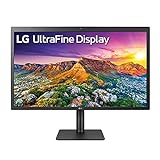
Its Thunderbolt 3 and USB-C ports allow easy plug-and-play connection for your MacBook Air M2, charging it simultaneously. The monitor also supports brightness and volume control directly from your Mac’s keyboard, making the user experience seamless.
This display is particularly favored by graphic designers, photographers, and video editors. Its combination of high resolution, superior color fidelity, and integrated speakers make it a professional-grade companion for the M2 chip.
Pros:
• 5K resolution
• macOS control
• Excellent color accuracy
• Built-in speakers
• Adjustable stand
• Thunderbolt 3
• Compact design
Cons:
• Expensive
• Basic design
• Limited HDR
3. Dell UltraSharp U2723QE – Best for Connectivity and Clarity
The Dell UltraSharp U2723QE is one of the best USB-C monitors for MacBook Air M2 thanks to its versatile port options and superb color precision. It features a 27-inch 4K IPS Black panel that delivers richer contrast and deeper blacks than standard IPS displays.
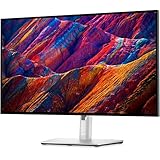
The monitor includes 90W power delivery, enough to charge your MacBook Air M2 while in use. Its built-in KVM switch allows users to control two PCs with one keyboard and mouse setup — perfect for multitaskers.
Dell’s ergonomic design includes height, tilt, and swivel adjustments for comfortable positioning. This model is ideal for office workers and creators who need both quality and functionality.
Pros:
• IPS Black panel
• USB-C hub
• 90W power
• Ergonomic stand
• High brightness
• Excellent colors
• KVM support
Cons:
• Costly
• No built-in speakers
• Slightly bulky
4. ASUS ProArt Display PA279CV – Best for Color Accuracy
The ASUS ProArt PA279CV stands out as a calibrated 4K monitor for MacBook Air M2, built with creators in mind. It delivers 100% sRGB and Rec.709 color space coverage, ensuring highly accurate tones for video editing and photography.

It includes factory calibration with Delta E <2, guaranteeing precise color out of the box. The USB-C connection with 65W Power Delivery ensures smooth compatibility and charging convenience for your MacBook.
The ergonomic stand supports height, tilt, and pivot adjustments, making it versatile for long work hours. It’s an affordable alternative to Apple’s premium displays while maintaining professional performance.
Pros:
• Factory calibrated
• 4K resolution
• USB-C charging
• Excellent accuracy
• Adjustable stand
• Affordable
• Great build quality
Cons:
• No HDR
• Moderate brightness
• Plain design
5. BenQ PD2705U – Best for Designers and CAD Users
The BenQ PD2705U is engineered for creative professionals using MacBook Air M2. Its 27-inch 4K UHD display supports HDR10 and 100% sRGB coverage for lifelike visuals.

The BenQ Display Pilot software simplifies window management and allows users to customize color modes. Its factory-calibrated panel ensures accurate color reproduction, which is vital for animation, photo editing, and architecture design.
With USB-C connectivity offering 65W power delivery, this monitor charges your MacBook while transferring data seamlessly. Its solid build and flexible stand make it suitable for productivity and comfort.
Pros:
• HDR10 support
• Factory calibrated
• Great color accuracy
• 65W USB-C
• Ergonomic stand
• Eye-care tech
• Split-screen mode
Cons:
• Average contrast
• Slightly heavy
• No built-in camera
6. Samsung ViewFinity S8 – Best for 4K Productivity
The Samsung ViewFinity S8 is one of the best 4K monitors for MacBook Air M2 users who prioritize productivity and design. Its UHD resolution and 98% DCI-P3 coverage produce sharp visuals and accurate color.
The matte anti-glare coating ensures clear visibility under bright light, ideal for long working hours. It also features 90W USB-C power delivery, providing fast charging for the MacBook Air M2.
This monitor combines functionality and sustainability with a sleek, eco-friendly design made from recycled materials. It’s a top pick for professionals who value detail and display precision.
Pros:
• Matte anti-glare
• Excellent color
• 90W power
• USB-C connectivity
• Eco-friendly build
• High resolution
• Eye comfort tech
Cons:
• No speakers
• Basic HDR
• Slight lag in gaming
7. LG 27UN850-W – Best for Everyday Use
The LG 27UN850-W offers premium 4K quality and versatility for MacBook Air M2 users who want both performance and style. It supports HDR400 and features 99% sRGB coverage, ensuring accurate and vivid visuals.

The USB-C port provides 60W power delivery, enough to charge your MacBook while in use. The adjustable ergonomic stand enhances user comfort, allowing tilt and height flexibility.
LG’s monitor is an excellent option for mixed use — office work, content creation, and streaming. Its slim bezels and vivid color quality make it a reliable daily driver.
Pros:
• 4K clarity
• HDR400 support
• USB-C power
• Adjustable stand
• Accurate color
• Slim design
• Great build
Cons:
• Slightly pricey
• Average contrast
• No speakers
8. HP U28 4K HDR – Best for Photo Editing and Home Office
The HP U28 4K HDR is an affordable yet premium display that complements the MacBook Air M2’s power. Its IPS panel ensures consistent viewing angles and color accuracy across the screen.

It features USB-C connectivity with 65W charging, eliminating the need for extra cables. The factory-calibrated display supports 100% sRGB and 93% DCI-P3, ensuring rich and balanced visuals.
HP’s adjustable stand and minimalist design fit any workspace. Ideal for editors and office users, it combines style, precision, and practicality at an affordable price.
Pros:
• HDR support
• Great colors
• Affordable
• Adjustable height
• USB-C power
• Eye-safe display
• Factory calibrated
Cons:
• Average contrast
• No speakers
• Slight delay in wake-up
9. Acer Nitro XV282K – Best for Gaming and Speed
The Acer Nitro XV282K is perfect for MacBook Air M2 owners who also enjoy gaming. It delivers 4K resolution with a fast 144Hz refresh rate, ensuring buttery-smooth visuals.
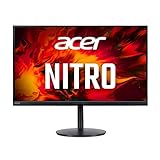
With HDMI 2.1 support, it connects easily with consoles and the MacBook for high-performance video output. The vibrant IPS panel offers 90% DCI-P3 color coverage for dynamic, realistic imagery.
It’s also VESA DisplayHDR 400 certified, providing good contrast and depth for gaming or creative work. The Nitro XV282K is ideal for users seeking versatility and entertainment.
Pros:
• 144Hz refresh
• HDMI 2.1
• 4K UHD
• Great color
• HDR400
• Low input lag
• Adjustable stand
Cons:
• Pricey
• Basic design
• Power-hungry
10. Philips 27E1N8900 – Best for Dual USB-C Setup
The Philips 27E1N8900 offers dual USB-C ports, allowing users to connect two devices — perfect for those using a MacBook Air M2 alongside another device.
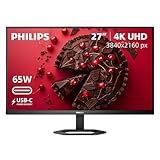
It features a 4K OLED panel with exceptional contrast and deep blacks, rivaling high-end displays. The 99% Adobe RGB and 99% DCI-P3 coverage deliver unmatched color accuracy for creative professionals.
Its versatile stand, premium finish, and wide compatibility make it one of the most balanced monitors for MacBook Air M2 users in 2025.
Pros:
• OLED display
• Dual USB-C
• Stunning color
• 4K clarity
• Great contrast
• Premium look
• Adjustable design
Cons:
• Expensive
• Limited availability
• Possible burn-in
Best Monitor For Macbook Air M2 (FAQs)
1. What type of monitor works best with MacBook Air M2?
Monitors with USB-C connectivity, high resolution (4K+), and color accuracy work best for MacBook Air M2 compatibility.
2. Can I connect two monitors to my MacBook Air M2?
Yes, but you’ll need a DisplayLink adapter or dock station, as the MacBook Air M2 natively supports one external display.
3. Does the MacBook Air M2 support 5K monitors?
Absolutely. Models like the Apple Studio Display and LG UltraFine 5K are fully compatible via Thunderbolt 3.
4. Is a 4K monitor necessary for the MacBook Air M2?
While not mandatory, a 4K monitor provides sharper visuals and improved multitasking performance.
5. What’s the ideal screen size for productivity?
A 27-inch monitor offers the best balance between workspace and visibility for MacBook Air M2 users.
6. Which monitor offers the best value overall?
The Dell UltraSharp U2723QE and ASUS ProArt PA279CV deliver the most features for their price.
7. Are USB-C hubs needed for these monitors?
Only if you need to connect multiple accessories simultaneously. Many monitors already include USB-C hubs built-in.
Conclusion
Selecting the best monitor for MacBook Air M2 depends on your goals — whether it’s creativity, productivity, or entertainment. Each model listed above offers impressive compatibility, vivid displays, and efficient connectivity. From the Apple Studio Display’s 5K brilliance to the ASUS ProArt’s color precision, there’s an option for every Mac user’s lifestyle.
A great monitor enhances clarity, performance, and comfort while working or streaming. With the MacBook Air M2’s power and the right display, your setup can achieve professional-level efficiency.
Now’s the time to upgrade your workspace with a MacBook-compatible monitor that fits your budget and needs.
Explore your favorite from this list, boost your creativity, and make your MacBook Air M2 shine brighter than eve